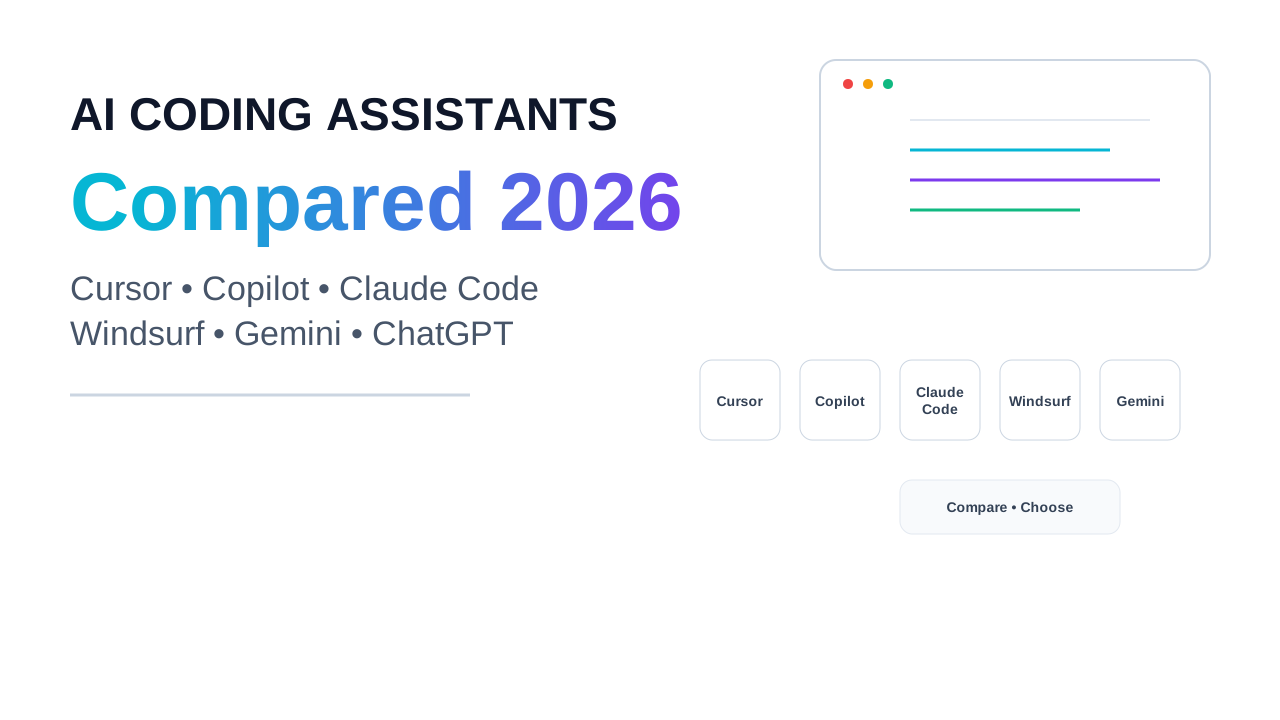
Find the best AI coding assistants by comparing Cursor, Copilot, Claude Code, Windsurf, Gemini, and ChatGPT for every developer.
Table of Contents
Table of Contents
The Tool You Choose Is a Statement About How You Code
Here’s a quick way to start an argument in any engineering Slack in 2026: ask which AI coding tool the team should standardize on. You’ll get passionate, contradictory answers, and every person will have a story about the time their tool caught a bug that saved them two hours, or confidently suggested a function that didn’t exist and cost them four.
The disagreements aren’t irrational. These tools are genuinely different in ways that matter to different workflows — and the right choice is not “whichever has the highest benchmark score.” It depends on how you code, what size your projects are, how much you trust autonomous agents with write access to your filesystem, whether you’re in an enterprise with compliance requirements, and which IDE you’ve spent years developing muscle memory in.
By mid-2026 the market has bifurcated into three distinct categories with different underlying architectures, different user experiences, and different trade-off profiles: chat-first AI assistants (Claude, ChatGPT, Gemini — general-purpose models you access through a web interface and copy code from); IDE-native AI editors (Cursor, Windsurf, GitHub Copilot — tools embedded directly in your development environment); and agentic terminal tools (Claude Code, Codex CLI, Gemini CLI — autonomous agents that run in your terminal, read your filesystem, execute commands, and iterate without a human relay). Within those categories, individual tools make their own bets.
Phase 1: The Problem — Three Generations of AI Coding Help, and Why Each Was Incomplete
Generation 1: Intelligent Autocomplete (2021–2023)
GitHub Copilot launched in June 2022 as the first mass-market AI coding assistant, and its core capability was inline completion: a model watched what you were typing, predicted what came next based on your open file and immediate context, and suggested a continuation you could accept with Tab. This was genuinely useful — and genuinely limited.
The limitation was architectural: a completion model predicts token by token, based primarily on what’s immediately around the cursor. It’s excellent at finishing a function you’ve already started defining, translating a comment into an implementation, and autocompleting boilerplate it’s seen thousands of times in training data. It’s poor at understanding your entire project’s architecture, reasoning about why a change in one file should affect another, or taking a multi-step action that requires reading, planning, writing, and testing.
The killer feature — predicting the next line faster than you could type it — was also a subtle trap. Accepting suggestions from a model that doesn’t fully understand your system architecture produced code that looked right at the autocomplete level but introduced subtle architectural inconsistencies, wrong abstractions, or security vulnerabilities that were invisible until later. Studies found that 45% of AI-generated code contains security vulnerabilities, and a tool optimized for completion speed wasn’t helping developers catch those issues.
Generation 2: Chat + IDE Integration (2023–2024)
The second generation added a chat interface alongside (or replacing) pure autocomplete. Instead of passively suggesting, you could ask: “What does this function do? Why is this test failing? Refactor this class to use the repository pattern.” The model could see more context, reason more explicitly, and produce more considered outputs.
This was a meaningful improvement. Chat also enabled multi-file operations in limited form: describe what you want across several files, and the model would suggest the changes. But the interface was still fundamentally a relay: the model suggested, you reviewed, you applied. The agent wasn’t doing anything; you were doing everything, with AI suggestions accelerating the process.
The gap that remained was significant for any task longer than a single edit cycle: debugging a test that fails for an indirect reason in another module, refactoring a pattern consistently across forty files, implementing a full feature from spec through tests through documentation. These required human orchestration across many steps — the kind of orchestration that wears you down at the end of a long afternoon.
Generation 3: Agentic Coding (2024–Present)
The third generation — where we are now — inverts the relationship. The agent doesn’t suggest; it acts. It reads your codebase, writes code, runs tests, reads the failure messages, adjusts, and iterates, reporting back when it either succeeds or needs human input. You describe what you want; the agent figures out the steps.
The jump in quality between 2024 and 2026 AI coding assistants is not incremental. Three things changed simultaneously: model context windows expanded enough to fit entire repositories rather than single files, models specifically fine-tuned on code became the default, and the agentic patterns — where the assistant reads your codebase, reasons about it, and then writes — matured from demos into reliable daily tools.
The result is a clear split in the market between IDE plugins (GitHub Copilot, Tabnine, Amazon Q Developer, which bolt onto your existing editor) and AI-native editors (Cursor and Windsurf, which are full VS Code forks rebuilt around AI as a first-class primitive rather than an afterthought). Add a third category — terminal agents — and you have the three-way market we’re operating in today.
Phase 2: The Mental Model — Category First, Tool Second
Why Category Choice Matters More Than Tool Choice
The most common mistake developers make when choosing an AI coding tool is treating it as a single-axis “best model” comparison — as if picking the highest benchmark score is sufficient. It’s not. A developer who uses ChatGPT for all their coding help and a developer who uses Claude Code are not making a quality-tier decision about AI capability; they’re making a workflow architecture decision about how deeply they want AI embedded in their development process.
Before evaluating any specific tool, you need to answer a prior question: how do I want to work with AI when I code? Three answers correspond to three fundamentally different categories:
“I want AI to help me think and generate, but I control all the editing.” This is the chat-first workflow. You describe what you need, the AI produces code, you review and paste it into your editor. ChatGPT, Claude.ai, and Gemini web all serve this workflow. The AI is powerful but at arm’s length — it can’t see your actual files, it can’t run your tests, and it can’t take action without you as the intermediary. This workflow has higher cognitive overhead per task but gives you full visibility and control.
“I want AI suggestions inline, right in the editor I already use, without switching tools.” This is the IDE-plugin workflow. GitHub Copilot is the archetypal example. You keep your existing editor, the AI provides completions and chat suggestions within it, and you apply changes manually. Lower disruption to existing workflows, lower context awareness, lower autonomous capability.
“I want AI that can take over an entire task end-to-end, acting autonomously in my actual environment.” This is the agentic workflow, available in two forms: AI-native editors (Cursor, Windsurf) that give you an AI-first IDE where the agent has deep codebase context and can edit across files; or terminal agents (Claude Code, Codex CLI, Gemini CLI) that run outside any IDE with direct filesystem and terminal access.
The tool comparison below is organized within these categories, because a fair comparison requires comparing like with like. Comparing ChatGPT to Claude Code is not like comparing two word processors — it’s like comparing a document editor to an autonomous writing agent. Both produce text; that’s where the similarity ends.
The Model Layer vs. The Interface Layer
One more mental model that clarifies the comparison: most of these tools separate into a model layer (the underlying LLM doing the reasoning) and an interface layer (the product that wraps the model and handles context assembly, tool integration, and user experience). Understanding which layer a difference comes from matters for predicting whether a tool will improve as models improve.
Cursor, for example, uses underlying models from Anthropic (Claude) and OpenAI (GPT-4 and newer variants) depending on the task and the user’s preference. When Claude Opus 4.8 was released, Cursor users got better results immediately without any product change, because the improvement happened at the model layer. Conversely, when Cursor ships a better context indexing algorithm or a smarter multi-file diff interface, that improvement is at the product layer — users of Claude.ai don’t get it automatically. This separation helps explain why benchmark scores from raw model APIs don’t always directly predict product quality: a weaker model with better context assembly in a sophisticated product can outperform a stronger model in a primitive interface.
Phase 3: Internal Working Deep Dive — How Each Category Actually Works
How Inline Completion Works
When you type in an IDE with an AI completion engine running, several things are happening simultaneously. The completion engine maintains a sliding “context window” around your cursor: the code above, sometimes the code below, other open files, and sometimes an indexed summary of your broader project. This context is assembled into a prompt and sent to the completion model (or a fast, smaller model purpose-tuned for completion) every few hundred milliseconds as you type. The model predicts the most likely next tokens and the completion is rendered as a ghost text suggestion you can accept, reject, or ignore.
The quality of completions is driven almost entirely by context quality — how much of the right surrounding code gets into that sliding window before the prediction is made. This is why AI-native editors like Cursor and Windsurf consistently outperform plugin-based tools like Copilot on complex completions: they invest in deeper codebase indexing that makes more relevant context available when the completion is generated. Copilot’s context is largely limited to your open files and workspace contents; Cursor’s context includes a richer embedding-based index of your entire codebase maintained in the background.
How Chat-in-IDE Works
Chat interfaces within IDEs work differently from inline completion. They use a full-size model (not a completion-specialized fast model), operate on a conversational turn structure, and allow the model to reason more explicitly before responding. When you ask “why is this test failing,” the IDE chat interface typically assembles a context containing the failing test, the relevant source files, and any recent error output, wraps it in a system prompt establishing the coding assistant persona, and sends the whole package to the full model for a considered response.
The key engineering challenge is context relevance selection: out of potentially thousands of files in a project, which ones are relevant to this specific question? Cursor uses embedding-based semantic search over its project index to select the most relevant files — similar to a RAG retrieval pass — before assembling the final prompt. Copilot’s context selection is shallower and more reliant on which files you’ve recently opened. This is the technical mechanism behind the commonly observed difference: Cursor seems to “know” your project more deeply, because its context selection is better, not because its underlying model is fundamentally more capable.
How Agentic Loops Work
Terminal agents (Claude Code, Codex CLI, Gemini CLI) and agentic IDE modes (Cursor Composer, Windsurf Cascade) implement a reasoning-action loop rather than a one-shot response. The model is given a goal and a set of tools — read file, write file, run command, search codebase — and operates in a cycle: reason about what to do next, take an action, observe the result, reason about the next step, repeat until the goal is achieved or the model asks for human input.
The quality of this loop depends on three factors: the model’s ability to reason correctly about multi-step plans (where Claude’s extended thinking gives it an advantage on complex refactors), the quality and reliability of the tool implementations the model can call (whether “run the test suite and tell me what failed” produces clean, parseable output the model can act on), and the system’s ability to detect when it’s stuck and ask for help rather than looping ineffectively.
Claude Code stands out for its ability to plan and execute complex, multi-file changes autonomously. With extended thinking, it reasons through problems before writing a single line. It supports sub-agents that can run multiple parallel operations — useful for exploring different approaches to a refactoring task simultaneously.
Windsurf’s “Flow” technology allows the AI to maintain perfect sync with your workspace in real time, enabling it to both assist and work independently on complex tasks without needing context updates.
Cursor Composer lets you describe a multi-file change in plain English and it executes across the codebase. Cursor also now supports background agents that run in the cloud while you continue working on something else — you spin up an agent on a branch and review its changes via PR when it’s done.
Phase 4: Tool-by-Tool Analysis
GitHub Copilot — The Incumbent With Widest Reach
GitHub Copilot quietly hit 4.7 million paid subscribers and 90% of Fortune 100 adoption. It has 42% market share and supports the widest range of IDE environments — VS Code, JetBrains IDEs, Vim, Neovim, Eclipse, and more. No other tool in this comparison comes close on IDE coverage.
What Copilot does well: Inline completion benchmarks have consistently put Copilot at or near the top for single-line suggestions, particularly for common patterns — it has the advantage of being trained on and used with an unparalleled amount of GitHub code. Its integration with the GitHub platform is native in a way no competitor can match: PR-level context, issue-to-code workflows, code scanning, and GitHub Actions integration are all first-class. Copilot Enterprise includes IP indemnification (the vendor takes legal liability if generated code infringes on copyrighted material), which matters significantly for enterprises in IP-sensitive industries.
Where Copilot falls behind: Multi-file agentic editing is Copilot’s current weakest area compared to Cursor and Windsurf. In a March 2026 standardized test, Cursor built a responsive data table component in 2 rounds of prompting. Windsurf needed 3. GitHub Copilot needed 5 with manual fixes. The Copilot Workspace agent is improving but still plays catch-up to Cursor Composer on complex multi-file tasks. Copilot is also the most conservative of the three on autonomous action — it generally stays closer to suggestion-and-apply than to full autonomous execution.
Who it’s for: Teams already standardized on GitHub, organizations where IT approval matters (Copilot is the least risky approval conversation), developers who genuinely don’t want to switch IDEs or editors, and enterprises where the GitHub ecosystem integration compounds over time.
Pricing: Pro at $10/month. Business and Enterprise tiers at higher per-seat prices with additional privacy guarantees, IP indemnification, and policy management.
Cursor — The AI-Native Editor With the Strongest Developer Reputation
Cursor has the strongest developer word-of-mouth in 2026. If you’re in a competitive hiring market and developer tooling is part of your employer brand story, Cursor’s reputation helps. Developers who use it tend to stay on it.
Cursor is a full fork of VS Code, which means VS Code users migrate with minimal friction — extensions, keybindings, and themes carry over. But underneath the familiar surface, Cursor has rebuilt how the editor interacts with AI: deep codebase indexing that embeds your entire project for semantic search, Tab completion that looks across files rather than just the open document, and Composer (its multi-file agentic editing interface) as a first-class feature.
What Cursor does well: Multi-file agentic editing is Cursor’s signature strength. Composer is the most mature multi-file agent as of Q1 2026. You describe a task in natural language (“add rate limiting to the API layer with configurable limits per tenant, write the tests, update the README”), and Composer proposes a plan across affected files, executes it, and shows a diff for review. For product teams shipping features quickly, this compresses a 2-4 hour task to 20-40 minutes for experienced Cursor users.
The model flexibility is also a genuine advantage: Cursor lets you route different tasks to different models, using Claude Opus for complex reasoning tasks and a faster model for quick completions, paying accordingly. This multi-model architecture is increasingly how sophisticated teams use Cursor — not as “a Claude editor” or “a GPT editor” but as a model-agnostic interface that makes intelligent routing decisions.
Where Cursor falls behind: At $20/month, it’s more expensive than Copilot’s $10/month entry point. The background agent feature (running cloud agents on a branch while you work) is promising but the execution falls short in complex environments — it runs in containers on a separate git branch, which can be problematic in more complex codebases. And as a VS Code fork, it doesn’t serve developers who use JetBrains IDEs, Vim, or other editors as a primary environment.
Who it’s for: Individual developers and product-focused engineering teams doing complex, multi-file work who are willing to switch editors for the productivity gain, and for whom the VS Code base makes the migration low-friction.
Pricing: Free tier (limited), Pro at $20/month, Business tier for teams.
Windsurf — The Agentic Challenger With the Best Value Proposition
Windsurf (originally Codeium, now owned by Cognition) made headlines in 2026 for reasons beyond its technical capabilities: Windsurf was acquired by Cognition for $250 million after Google poached its founding team for $2.4 billion — a corporate story that underscores just how much capital is chasing the AI coding market. The product itself is a full AI-native IDE like Cursor, with its Cascade feature as the flagship agentic interface.
What Windsurf does well: Cascade, Windsurf’s multi-file agent, has a distinctive approach: rather than operating on a diff-and-apply model, it maintains a persistent understanding of your codebase structure indexed on first use. Windsurf Cascade now indexes your entire repository on first use and maintains a persistent understanding of your codebase structure — and this is why it excels at context-aware suggestions, genuinely understanding your project architecture. In the CommonJS-to-ESM migration benchmark, Windsurf’s Cascade completed it in one attempt with 2 test failures out of 47. Cursor took 3 attempts. Windsurf also offers FedRAMP High certification and on-premise deployment in its Enterprise tier — the only option in this comparison for teams with a hard “code never leaves our infrastructure” requirement.
Where Windsurf falls behind: The acquisition by Cognition means some uncertainty around roadmap and organizational stability — when a company’s founding team is largely gone (to Google, in Windsurf’s case), some product continuity questions are reasonable. For large enterprises, waiting for the acquisition dust to settle is sensible advice. Windsurf’s Tab completion has occasionally been noted to be stylistically off in less common languages compared to Cursor or Copilot.
Who it’s for: Individual developers and small teams wanting Cursor-level agentic capability at competitive pricing, teams with EU compliance or FedRAMP certification requirements, and engineering teams doing primarily longer-horizon autonomous tasks where Cascade’s persistent codebase understanding is advantageous.
Pricing: Generous free tier, Pro at $15/month (undercutting Cursor), Enterprise tier for regulated environments.
Claude Code — Anthropic’s Terminal-First Agentic Agent
Claude Code is a terminal-based agentic coding tool — not an IDE, not a chat interface, but a CLI you run in your terminal with direct access to your filesystem, your shell, and your version control. The interface is intentionally minimal: you describe what you want in plain English, Claude Code reads the relevant files, plans an approach, executes changes, runs your tests, reads the failure messages, and iterates until either the task is done or it surfaces a question requiring human judgment.
What Claude Code does well: Complex, multi-file reasoning tasks. Claude Code leads on complex multi-file refactoring — it’s been noted for its consistency at maintaining code style and patterns across large refactors. On SWE-bench Verified (a benchmark of real GitHub issues requiring multi-file bug fixes), Claude Opus 4.7 leads SWE-bench Verified at approximately 80%, and Claude Code is described as the most mature agentic coding product. Its MCP integration is also notably broad — you can attach MCP servers for external tools (databases, APIs, documentation) that the agent can call as part of its task execution loop, making it particularly powerful for tasks requiring external context.
Where Claude Code falls behind: No IDE — the terminal interface has a steeper learning curve than Cursor or Windsurf, and developers who think spatially about code often miss the visual diff interface those editors provide. On Terminal-Bench 2.1, Codex CLI with GPT-5.5 leads at 83.4% and Claude Code with Opus 4.8 is second at 78.9%. Context limits can be a friction point — Pro subscribers have token budgets that refresh every five hours, which can interrupt long agentic sessions. Claude Code also requires a separate subscription from Claude.ai (it’s not included in a basic plan without paying for the appropriate tier).
Who it’s for: Developers who prefer terminal-first workflows, engineers working on complex multi-file refactoring tasks where agentic reasoning quality matters, teams deeply integrated with MCP tools, and anyone whose IDE is already Vim or another terminal-friendly editor.
Pricing: Included with Claude Pro ($17–20/month depending on billing period); Max plan at higher tiers for heavier agentic usage.
ChatGPT + Codex CLI — OpenAI’s Chat-First Ecosystem With Growing Agent Capability
ChatGPT remains the most widely recognized AI assistant brand and, for casual coding help, probably still the most-used tool globally. For code specifically, the picture is more nuanced.
ChatGPT (web/app): Great for one-shot code generation, explaining existing code, and quick debugging when you paste code in. The Code Interpreter runs Python in a sandbox, which is useful for data analysis and scripting. The limitation is architectural: ChatGPT operates in a chat window with no local filesystem access — you’re always the one copying code from the chat into your editor. There’s no terminal integration and no ability to chain multi-step coding workflows. For occasional coding help, this is fine. For day-to-day development work, the copy-paste relay adds up to meaningful friction.
Codex CLI: OpenAI’s terminal agent, comparable in category to Claude Code. On the public Terminal-Bench 2.1 leaderboard, Codex CLI with GPT-5.5 scores first at 83.4%. Codex CLI is available to ChatGPT Plus subscribers (adding it to an existing subscription at no additional cost is a genuine value advantage), and it has tight GitHub integration including native support for GitHub Actions and background cloud execution.
Who it’s for: Developers already paying for ChatGPT Plus who want a terminal agent without a separate subscription, teams with existing OpenAI ecosystem investment, and workflows where GitHub Actions automation is a primary use case.
Gemini + Gemini CLI — Google’s Strength in Breadth and Large Context
Gemini’s strategic advantage in coding is its context window. Gemini really shines with its 1-million-token context window, letting it hold entire sections of a codebase in memory at once — making it genuinely powerful for refactoring larger files and understanding large projects in their entirety.
Gemini web/app: Like ChatGPT, primarily a chat interface for coding — strong reasoning, better than it was, but still operating through copy-paste for actual development work. The Google Workspace integrations (Docs, Sheets, Code Assist in VS Code and JetBrains) are useful for teams in the Google ecosystem.
Gemini CLI: Google’s terminal agent launched mid-2025. Gemini CLI is the closest equivalent to Claude Code within Google’s ecosystem. It’s a terminal-based agent that can read, write, and run commands in your local environment. Jules is Gemini’s GitHub-native agent for background coding tasks. The standout feature is the generous free tier — Gemini CLI allows 1,000 free requests per day — making it the only serious agentic terminal tool available at no cost, which is significant for individual developers and students.
Where Gemini falls behind: The terminal agent is newer and has been noted as still maturing in its agent loop compared to Claude Code’s more battle-tested implementation. The massive context window is powerful in principle, but developers report better results when starting with a fresh context window, especially when agents got stuck or started producing messier outputs — suggesting that context length doesn’t fully substitute for context quality.
Who it’s for: Developers who need a no-cost agentic terminal tool, Google Cloud/Workspace users who benefit from ecosystem integration, teams working on very large codebases where the 1M+ token window is genuinely advantageous.
Tabnine — The Enterprise Privacy Specialist
Tabnine is the only real choice for regulated environments where code leaving the network is a hard blocker. The on-premises deployment has hardware requirements (GPU-class inference for the full model) and a setup process that needs IT involvement.
Tabnine doesn’t compete on benchmark scores or agentic capability — it competes on trust and compliance. For defense contractors, healthcare systems handling PHI, financial institutions with strict data residency requirements, and other organizations where “no code ever leaves our infrastructure” is a non-negotiable, Tabnine is the only serious option in this comparison. Pricing starts at $39/user/month for the enterprise tier — higher than the other tools, and worth it specifically when the alternative is not having AI coding assistance at all due to compliance blockers.
Amazon Q Developer — AWS-Native Coding Help
Amazon Q Developer is the AWS rebranding of CodeWhisperer. It’s most valuable for teams doing heavy AWS infrastructure work — it has fine-tuned awareness of AWS APIs, IAM policies, CloudFormation, and CDK patterns that general-purpose models don’t replicate as reliably. For non-AWS work, it’s competitive on basic completion but doesn’t differentiate on the agentic or multi-file editing dimensions. Worth knowing about for AWS-heavy shops; not a primary recommendation for general web or application development.
Phase 5: Real-World Usage Patterns — How Teams Actually Use These Tools in 2026
The Combination Strategy Is Becoming Standard
One of the most important practical insights from the 2026 market: teams are not standardizing on one tool. Many teams in 2026 combine tools — Cursor for complex day-to-day coding, Copilot for JetBrains or GitHub-native workflows, Claude Code or Gemini CLI for longer-horizon agentic tasks on a separate branch. The tools don’t conflict if you configure them correctly, and different workflow steps genuinely benefit from different tool designs.
A common high-productivity pattern: use Cursor or Windsurf for interactive feature development (its IDE integration and multi-file editing are best for the code-modify-test-repeat loop), and use Claude Code or Codex CLI for a separate “give this to the agent and come back in twenty minutes” track for larger refactors, test suite generation, or dependency updates. The agent runs on a branch; you review its PR the same way you’d review a junior developer’s work.
The Code Review Gap
One pattern that recurs across production teams: all these tools are optimized to write code fast, not to review it thoroughly. As 41% of all code is now AI-generated, the volume of code that needs review is increasing dramatically, and the code being generated has higher bug and vulnerability rates than human-written code. An agent can self-review its output, but self-review has a structural blind spot — models have genuine difficulty catching their own errors with the same reliability they catch errors in code they didn’t write. This is why several teams pair an AI coding tool with a separate AI code review layer — not as an indictment of the coding tools, but because writing and reviewing are cognitively opposed tasks that separate tools handle better than one tool handling both.
Enterprise Adoption Patterns
For larger engineering organizations, the decision criteria shift meaningfully. Enterprise adoption of GitHub Copilot is driven heavily by existing GitHub investment (PR review context, GitHub Actions, security scanning are native), the IP indemnification clause that protects the company if generated code has copyright issues, and the straightforward IT approval process relative to newer entrants. Cursor’s market position is strongest in companies where the engineering team drives the tool selection bottom-up — developers love it, they push for it, and companies adopt it because retaining developers who are more productive with their preferred tools is worth the per-seat cost.
The compliance and FedRAMP angle is genuinely separating. Windsurf Enterprise’s FedRAMP High certification with on-premise deployment options addresses requirements that other tools simply can’t meet. If you’re in government contracting, defense, or regulated healthcare, your choice of agentic coding tool is effectively narrowed to Tabnine (on-premises) and Windsurf Enterprise (FedRAMP) before you even evaluate anything else.
Phase 6: AI Era Relevance — Where Coding Assistants Are Heading Next
The Shift From “Autocomplete” to “Co-developer”
The generation arc we traced in Phase 1 — from autocomplete to chat to agentic loops — will continue, and the next phase is already visible in early features: persistent project understanding (the agent knows your codebase continuously, not just when you ask a question), background execution (the agent works on tasks while you do other things, reporting when complete or stuck), and team-level collaboration (agents that understand a PR’s context, review code written by other agents, and maintain architectural consistency across contributions from multiple developers and multiple AI agents).
Analysts expect that by 2026, AI coding assistants will handle entire feature development cycles — from requirements to deployed code — with developers shifting to AI orchestration, architecture decisions, and creative problem-solving. This means the “code quality reviewer” role, the architect who defines constraints that agents operate within, and the engineer who evaluates whether AI outputs are correct are all roles that will compound in value, even as the line-by-line coding work itself gets more automated.
The MCP Integration Layer
As covered in our MCP article, the Model Context Protocol is standardizing how AI coding agents connect to external tools and data sources. Claude Code is currently the most deeply MCP-integrated of the agentic tools — you can attach MCP servers for databases, internal documentation, external APIs, and custom tools that the agent can call as part of a coding task. As MCP adoption grows across the industry, this integration depth will become table stakes rather than a differentiator, but currently it’s a genuine practical advantage for complex tasks that require context beyond the codebase itself.
The Multi-Agent Coding Future
The clearest forward-looking trend in AI coding is the shift from single agents to coordinated agent teams. Cursor’s background agents running on separate branches, GitHub Copilot Workspace creating tickets and assigning them, and multi-agent frameworks where a planning agent decomposes a feature spec into subtasks and dispatches them to specialist coding agents — these are not science fiction. They’re in early production use in 2026, and the teams experimenting with them now are building the intuitions that will make them effective at this as it becomes standard practice.
The implication for developers: understanding how to review, direct, and evaluate AI coding agents becomes more important than raw speed at writing code yourself. The developers who will be most productive in this environment are the ones who can clearly specify what they want, critically evaluate whether they got it, and iterate efficiently on agent outputs — skills that are more closely related to senior engineering judgment than to typing speed.
Phase 7: Honest Trade-offs — What the Vendors Won’t Tell You
The Privacy Question Is Genuinely Important
Code privacy is now standard across all major tools at paid tiers — your code is not used for training if you’re on a paid plan. This was the most common security objection in 2023 and is largely resolved in 2026. But the nuance matters: free tiers may have different policies, and self-hosted deployment remains available only from Windsurf Enterprise and Tabnine. Before committing at the enterprise level, verify the current privacy policy directly rather than relying on marketing materials.
You Pay for Context Quality, Not Just Model Quality
One of the most honest things that can be said about this comparison: in a head-to-head test where you control the context (paste the same code, ask the same question), the major frontier models perform surprisingly similarly. The primary differentiator in everyday use is how much relevant context the tool automatically assembles around your actual work — which is a product quality question, not a model quality question. Cursor’s deep project indexing is what makes its suggestions feel smarter, not a fundamentally more capable model. This has an important implication: as model quality converges across providers (which it is), the interface and context engineering layer becomes the real differentiator.
The Tool That Makes You More Productive Is the Right Tool
This sounds like a cliché, but it has a specific engineering content: try tools in your actual workflow, with your actual codebase, on the tasks you actually do, for at least two weeks before deciding. Developer productivity with AI tools shows a genuine learning curve — suggestions get noticeably better as the tool learns your patterns, and you get better at working with the tool as you develop instincts for what it handles well and where you need to step in. First impressions from a 30-minute demo are genuinely unreliable.
Phase 8: Career Impact — What Learning These Tools Teaches You
There’s a meta-skill that using these tools develops that’s worth naming explicitly: AI system evaluation. The developers who get the most from AI coding tools are not the ones who accept every suggestion — they’re the ones who’ve developed a fast, reliable instinct for when to trust and when to verify. They review AI-generated code differently from human-written code, knowing the specific failure patterns (confident wrong variable names, plausible but wrong API signatures, security vulnerabilities invisible at first glance). They prompt more specifically when they need precision and more loosely when they need ideas. They know when to run with an agent’s suggestion and when to start over.
This evaluation skill is compounding: it makes you better at your job regardless of which AI tool you’re using, which models improve or get replaced, and which frameworks succeed or fail. It’s the specific engineering judgment that AI tools develop in you, and it’s one of the clearest reasons why engineers who use these tools extensively tend to stay valuable rather than being made redundant by them — they’ve built the skill to work with the systems rather than being replaced by them.
For interview preparation: expect questions about how you use AI tools in your workflow to appear more frequently in engineering interviews, usually probing for whether you can critically evaluate AI output, not just whether you’ve used the tools. Being able to speak specifically about when you caught a confident AI mistake, how you prompt for complex refactoring tasks, and how you structure your workflow around agent capabilities demonstrates the kind of AI-era judgment that engineering interviewers are increasingly looking for.
The Category Is the Choice
Every developer wants a recommendation, and here’s the cleanest one: pick your category before you pick your tool.
If you don’t want to switch IDEs and your team uses GitHub, start with GitHub Copilot. If you do complex multi-file work and you’re ready to switch editors, try Cursor’s free tier for two weeks. If you do compliance-sensitive enterprise work with code that cannot leave your infrastructure, Windsurf Enterprise or Tabnine are your realistic options. If you want a no-cost agentic terminal tool, Gemini CLI. If you want the most mature agentic coding capability and you’re comfortable in a terminal, Claude Code. If you’re an OpenAI subscriber already, Codex CLI is effectively free.
The deeper truth, though, is that these categories are converging. Copilot is adding agentic capability. Cursor is adding background cloud agents. Claude Code is getting richer IDE integration. Gemini is adding Jules for GitHub-native execution. The tool you choose today will look substantially different in six months, and the “right” category for your workflow will evolve as the tools do.
What won’t change: the need for engineering judgment to direct, evaluate, and critically review what AI produces. The developers who develop that judgment now — who learn how these tools fail as carefully as they learn how they succeed — will be the ones who can adapt as the landscape continues to shift underneath all of us. The tool is not the skill. The skill is knowing what to do with the tool.
If you’re new to AI-assisted development, start with our AI Career Roadmap for Software Engineers.