The Wall Every Agent Builder Eventually Hits
There’s a familiar arc to building with LLMs. You start with a single prompt. It works. You chain a few calls together — retrieve something, summarize it, format the output — and that works too, in a satisfying straight line from input to answer. Then you try to build something that actually behaves like an agent: something that can decide to use a tool, check whether the result was good enough, try again if it wasn’t, remember what happened five minutes ago, and pause to ask a human before doing anything risky.
That’s exactly where the straight line breaks. A linear chain has no way to loop back on itself, no clean way to persist progress if the process crashes halfway through, and no natural place to stop and wait for a person. Engineers who hit this wall usually respond by hand-rolling a while loop around an LLM call, and that works for about a week, until the loop needs to survive a server restart, or a teammate asks “wait, why did the agent decide to do that three steps ago,” and there’s no good answer.
LangGraph, built by the LangChain team, exists specifically to replace that fragile hand-rolled loop with something explicit, inspectable, and durable. This article builds it up from first principles: why linear chains stop working, the graph-based mental model LangGraph replaces them with, exactly what happens internally when a graph executes, how memory and human-in-the-loop approval actually work under the hood, how to build a real production-shaped agent yourself, and how companies running this in production today — LinkedIn, Uber, Klarna, Replit among them — actually use it.
Phase 1: The Problem — Why Linear Chains Can’t Be Agents
The Limits of a Straight Line
Early LLM application patterns were, structurally, pipelines: take an input, pass it through a fixed sequence of steps — maybe a retrieval step, then a prompt template, then the model call, then an output parser — and return a result. This pattern is easy to reason about and easy to build, and it’s genuinely sufficient for a large class of tasks: summarization, classification, simple question answering over a known document.
But the moment you want something that behaves like an agent rather than a function, three requirements show up that a straight pipeline structurally cannot satisfy.
Loops. A real agent needs to retry. If a tool call fails, or a generated answer doesn’t pass a validation check, the agent needs to go back and try again — possibly several times, possibly with a different approach each time. A linear pipeline has no “back” to go to; by definition, it only moves forward.
Conditional branching driven by the model’s own reasoning. An agent often needs to decide, based on what just happened, what to do next: call a tool, ask the user a clarifying question, or produce a final answer. This isn’t a fixed sequence of steps known in advance — it’s a decision made dynamically, at runtime, based on the current situation. A pipeline’s steps are fixed at design time; an agent’s next step often isn’t knowable until the previous one finishes.
Memory and durability across time. A pipeline typically runs once, start to finish, and is done. A real agent might need to remember something from a conversation that happened yesterday, or survive a server crash midway through a long-running task without losing its place, or let a different machine pick up exactly where another one left off. None of that is a pipeline concern — it’s a state management concern, and pipelines don’t have a state management story at all.
The Hand-Rolled Loop Trap
Faced with these requirements, the obvious next move is to write a Python while loop: call the model, check if it wants to use a tool, run the tool if so, append the result, loop back, repeat until the model produces a final answer. This is exactly the “ReAct” pattern that early agent frameworks popularized, and it works — as a prototype.
It falls apart in production for reasons that have nothing to do with the model’s intelligence and everything to do with software engineering fundamentals that the loop simply doesn’t address. State typically lives in local variables or a Python list, which vanishes the moment the process restarts — meaning a crash mid-task means starting completely over, including re-paying for every LLM call that had already succeeded. There’s no standard, structured place to pause execution and wait for a human to approve a risky action (send this email, issue this refund) before continuing — you end up bolting on ad hoc flags and custom resume logic that’s different in every project. And there’s no built-in trace of why the agent did what it did at each step, which makes debugging a multi-step failure an exercise in adding print statements after the fact rather than inspecting a structured execution history.
Why LangChain’s Earlier Abstractions Weren’t Enough Either
It’s worth being specific here, because LangChain itself went through this evolution publicly. Its earlier high-level agent abstraction, commonly called AgentExecutor, offered a more structured version of the hand-rolled loop — but it was still largely a fixed, opaque execution pattern under the hood, which made it difficult to customize for anything beyond the common case: inserting a custom retry strategy, a custom human-approval gate, or a genuinely branching decision tree required fighting the abstraction rather than extending it. As production agent requirements grew more complex throughout 2024 and 2025, this rigidity became the actual bottleneck — not model capability. LangGraph was built to resolve this directly, and by the time it reached a stable 1.0 release in October 2025, LangChain had deprecated AgentExecutor and its older agent-construction patterns in favor of building directly on LangGraph’s graph primitives.
What the Industry Data Actually Shows
This isn’t just an architectural argument — it shows up directly in how production teams are building agents. LangChain’s own 2026 State of Agent Engineering research, based on analysis of production-grade agent deployments, found that a strong majority of production agents now use some form of explicit graph or state-machine structure rather than a simple linear chain, and that a majority have added at least one human intervention point into their workflow. The same research attributes a large share of production agent incidents specifically to state management failures — not model errors, not prompt quality, but the underlying plumbing of tracking what the agent knows and has done. That’s precisely the gap LangGraph was built to close, and it’s why understanding it well has become less of a specialty skill and more of a baseline expectation for anyone building production agent systems.
Phase 2: Building the Mental Model
A Hospital Ward, Not an Assembly Line
Here’s an analogy that captures what makes LangGraph’s model different from a pipeline. Picture a patient moving through a hospital, not a car moving down an assembly line. A car on an assembly line visits every station in a fixed order, once each, and rolls off the end. A patient doesn’t work that way. They’re triaged first, then maybe sent to the lab, then to a doctor, who might send them back to the lab for a different test, or straight to a specialist, or simply discharge them — and at any point, a nurse might pause everything to get sign-off from an attending physician before proceeding with something serious. The route isn’t fixed in advance; it’s decided dynamically, station by station, based on what’s been learned so far. And critically, the patient’s chart — their accumulated history — travels with them and gets updated at every station, so if the hospital’s systems went down at 3am, nobody would need to re-run every test from scratch; the chart shows exactly where things stood.
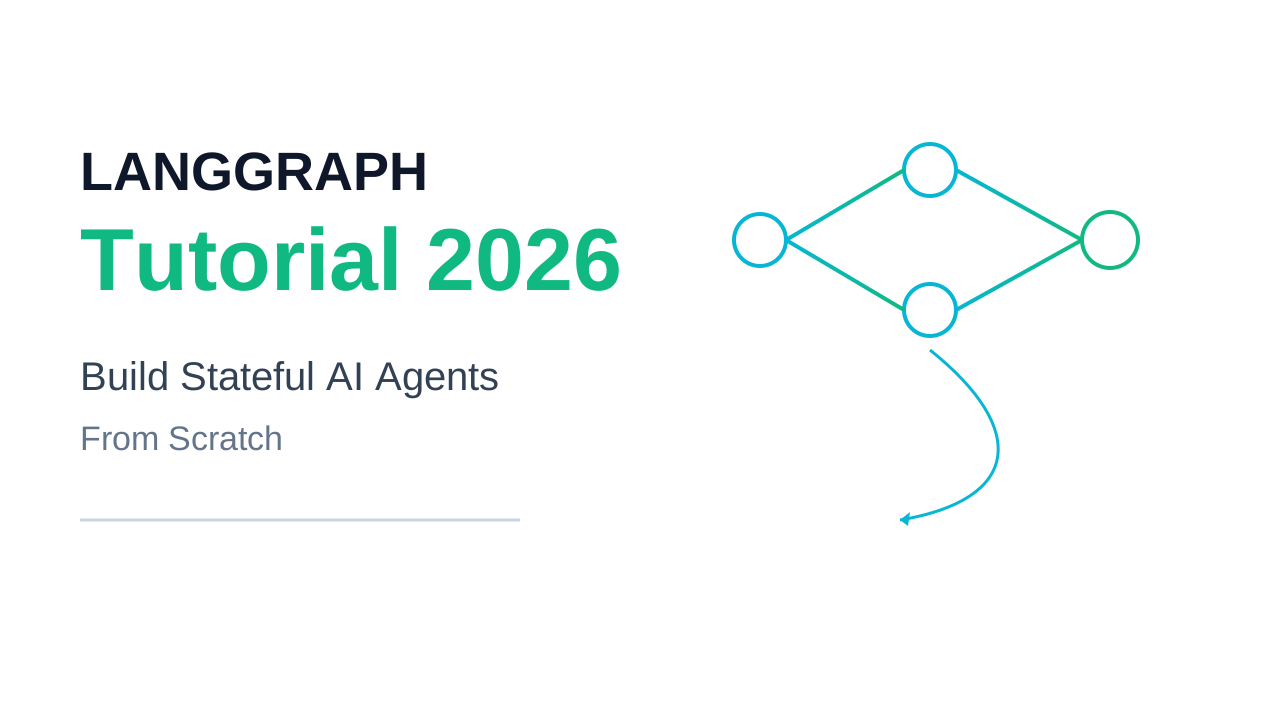
That’s the shift LangGraph makes versus a linear chain. Stations are nodes. The routing decisions a nurse or doctor makes about where the patient goes next are edges. The patient’s chart — the single, continuously updated record every station reads from and writes to — is state. And the hospital’s ability to pick up exactly where it left off after an outage is what a checkpointer provides.
The Three Primitives, Precisely
State is a shared data schema — typically defined as a TypedDict or a Pydantic model — representing the current snapshot of the whole workflow at any given moment. It is not a global variable scattered across your code; it is a single, explicit, typed object that travels through the entire graph, and every node interacts with it the same standardized way.
Nodes are functions. Each one receives the current state, does some work — call an LLM, call a tool, run a calculation, query a database — and returns an update to that state. A node never returns the entire new state from scratch; it returns only the keys it actually changed, which the framework then merges back into the full state object.
Edges are what decide which node runs next. A simple edge is a fixed transition: after node A, always run node B. A conditional edge is a small routing function that inspects the current state and returns the name of whichever node should run next — this is the mechanism that gives an agent the ability to make a genuine decision: “based on what I now know, should I call a tool, ask a clarifying question, or finish?”
Why the Execution Model Is Borrowed From Distributed Systems, Not Web Frameworks
LangGraph’s execution engine is conceptually descended from Pregel, Google’s well-known model for large-scale graph processing, and that lineage explains a detail that often confuses newcomers: execution proceeds in discrete rounds called super-steps, not as one continuous function call stack. At the start, every node is inactive. A node becomes active only when it receives an incoming update along one of its edges. All nodes that become active at the same point in the process run within the same super-step — meaning they can execute in parallel, since they don’t depend on each other yet — while a node that only becomes reachable after a previous node finishes belongs to a separate, later super-step. This is precisely what allows LangGraph to express both parallel branches (several nodes doing independent work simultaneously, like fetching from three APIs at once) and strictly sequential loops (an LLM node deciding to call a tool, waiting for the result, then deciding again) within the exact same underlying execution model, rather than needing two different systems for the two different cases.
Reducers: How State Updates Actually Merge
There’s one more concept that has to be in your mental model before anything else makes sense: when a node returns a partial state update, how does that update get combined with the existing state? By default, a key gets overwritten — the new value simply replaces the old one. For most fields, that’s exactly what you want. But for a field like a running list of conversation messages, overwriting is actively wrong: if two nodes both touch the message list in the same super-step, a default overwrite means one of them silently erases the other’s contribution. This is solved with reducers — a function attached to a specific state field that defines how updates to that field should be combined rather than replace one another. The most common example is an accumulating reducer for message history, which appends new messages instead of replacing the whole list. Choosing the right reducer for each field is, in practice, one of the most consequential design decisions in any LangGraph project, because getting it wrong doesn’t crash your program — it silently corrupts your agent’s memory of its own conversation.
Phase 3: Internal Working Deep Dive — What Actually Happens When a Graph Runs
This is the heart of the article. We’ll walk through exactly what happens from the moment you call compile() to the moment a multi-step, human-approved agent task finishes — including the parts of the lifecycle most tutorials skip.
Assembling the Graph
Building a graph starts with three declarations: a state schema, a set of nodes, and the edges connecting them.
from typing import Annotated, TypedDict
from langgraph.graph import StateGraph, START, END
from langgraph.graph.message import add_messages

class AgentState(TypedDict):
    messages: Annotated[list, add_messages]   # accumulates, doesn't overwrite
    retries: int

graph = StateGraph(AgentState)
graph.add_node("agent", call_model)
graph.add_node("tools", run_tool)
graph.add_edge(START, "agent")
graph.add_conditional_edges("agent", should_continue, {"continue": "tools", "end": END})
graph.add_edge("tools", "agent")

app = graph.compile()
Notice the Annotated[list, add_messages] declaration on the messages field — this is the reducer from Phase 2 made concrete. Without it, every node that touches messages would silently overwrite the entire conversation history rather than appending to it. This single line is doing more architectural work than its size suggests.
The Lifecycle, Step by Step
Step 1 — Invocation and the first super-step. Calling app.invoke({“messages”: […]}) hands the graph an initial state and starts execution at START, which immediately activates the agent node — the only node connected to START — beginning the first super-step.
Step 2 — Node execution. The agent node function receives the full current state, does its work (typically calling an LLM with the current message history), and returns a partial update — in this case, a new assistant message to add to messages.
Step 3 — Reducer merge. The framework takes that partial update and merges it into the canonical state using whatever reducer is attached to each touched field. Because messages uses an accumulating reducer, the new message is appended rather than replacing history.
Step 4 — Edge evaluation. The conditional edge attached to agent — the should_continue routing function — receives the now-updated state and inspects it. If the model’s latest message includes a tool call, the function returns “continue”, routing to the tools node. If not, it returns “end”, routing to END and terminating the graph.
Step 5 — The loop. If routed to tools, that node executes the requested tool, appends the result as a new message, and a fixed edge sends control straight back to agent for another super-step — the model now sees the tool’s result and decides what to do next. This agent → conditional edge → tools → agent cycle is the structural backbone of the overwhelming majority of production LangGraph agents; it’s the same ReAct loop pattern discussed in Phase 1, except now expressed as an explicit, inspectable graph instead of a hand-rolled while loop.
Step 6 — Termination. The cycle repeats — each pass through agent and tools constituting another pair of super-steps — until should_continue returns “end”, at which point the graph halts and returns the final accumulated state to the caller.
Memory: Short-Term State vs. Long-Term Persistence
It’s worth drawing a sharp line between two things that are easy to conflate: the state flowing through a single run, and memory that persists across separate runs.
Short-term memory is just the state object itself, scoped to a single execution — the message history accumulated within one conversation or task. This exists whether or not you attach any persistence at all; it’s simply what the graph is carrying as it executes.
Long-term, durable memory requires attaching a checkpointer — a component that saves a snapshot of the entire state to a backing store after every super-step. Development setups typically use an in-memory MemorySaver, which keeps checkpoints in RAM and loses everything when the process stops. Production systems use SqliteSaver for a single-server deployment or PostgresSaver when multiple server instances need to share access to the same checkpoint history — a requirement the moment your application runs behind a load balancer with more than one worker process.
Persistence is organized around threads: every invocation carries a thread_id, and the checkpointer uses it to group a sequence of checkpoints into one logical conversation or task, keeping different users and different tasks cleanly isolated from one another. Resuming a thread later — even days afterward — means the checkpointer reconstructs the full state from the most recent checkpoint, and execution continues exactly as if no time had passed.
A subtlety that matters enormously in practice: checkpoints are written at super-step boundaries, not in the middle of a node’s function body. If execution is interrupted partway through a node — by a crash, a timeout, or a deliberate pause — and later resumed, that node runs again from the very beginning of its function, not from wherever it stopped. This has a direct design consequence: any side effect inside a node (writing a database row, sending an API request) must be idempotent — safe to run more than once without producing duplicate or corrupted results — because re-execution after a resume is a normal, expected part of the system’s behavior, not an edge case.
Because checkpoints store a full snapshot rather than overwriting the previous one, the checkpoint history doubles as an audit log, enabling what’s often called time travel: you can inspect any prior checkpoint in a thread’s history, and even resume execution from a checkpoint partway through, forking the conversation down a different path — extremely useful both for debugging a failure after the fact and for letting a user retry from an earlier point with a different instruction.
Human-in-the-Loop: Pausing a Graph Mid-Flight
This is one of LangGraph’s most consequential capabilities, and also the one most commonly implemented incorrectly. The core mechanism is an interrupt() call placed inside a node: when execution reaches it, the graph pauses entirely, persists its current state via the checkpointer, and surfaces whatever context the node provides to a human reviewer. The graph isn’t just “waiting” in some abstract sense — it has genuinely stopped, the process can shut down entirely, and resuming later (potentially on a completely different machine) works exactly like resuming any other checkpointed thread, by passing a Command carrying the human’s decision back into the graph.
There are two distinct ways to position a pause relative to a node’s action, and confusing them is, by a wide margin, the most common human-in-the-loop mistake engineers make. Pausing before a node runs means the action hasn’t happened yet — a human can inspect what’s about to occur and explicitly authorize it before the graph proceeds. This is what genuine approval gates require: before issuing a refund, before sending an external email, before executing a destructive database operation. Pausing after a node runs means the action has already occurred, and the human is only reviewing the outcome — appropriate when you want oversight and a record of human review, but structurally incapable of preventing an action, since by the time the human sees it, it’s already done. Treating an after-the-fact review pause as if it were an authorization gate is a real production bug pattern, not a theoretical one — it means whatever risky action you thought a human was approving has, in fact, already happened by the time they see the request.
Subgraphs and Multi-Agent Composition
As graphs grow, LangGraph allows nesting an entire compiled graph as a single node inside a larger parent graph — a subgraph. Each subgraph maintains its own internal state and communicates with its parent through a defined interface, which is what makes genuinely large, team-built multi-agent systems tractable: one team can own and iterate on a “research” subgraph, another can own a “writing” subgraph, and a parent supervisor graph routes between them, with neither team needing to understand the other’s internal implementation. This composability is precisely what allows the same three primitives — state, nodes, edges — introduced for a single simple agent to scale, structurally unchanged, up to hierarchical systems with dozens of specialized agents coordinating on a shared task.
Phase 4: Engineering Implementation — Building a Production-Shaped Agent
Let’s build something closer to what a real production agent looks like: a support agent that can look up order information freely, but must get explicit human approval before issuing a refund.
Defining State and the Model Node
from typing import Annotated, TypedDict
from langgraph.graph import StateGraph, START, END
from langgraph.graph.message import add_messages
from langgraph.checkpoint.postgres import PostgresSaver
from langgraph.types import interrupt, Command

class SupportState(TypedDict):
    messages: Annotated[list, add_messages]
    retry_count: int
    last_error: str | None

def call_model(state: SupportState) -> dict:
    response = llm_with_tools.invoke(state["messages"])
    return {"messages": [response]}
Why retry_count and last_error live in state, not in a try/except wrapper around the whole graph. LangGraph does not automatically retry a node that raises an exception — reliability is something you design into the graph explicitly, not a feature you get for free. Tracking error state as part of the schema lets a conditional edge make an informed routing decision (“this has failed twice, route to a fallback node” or “ask a human for help”) rather than the failure being invisible to the rest of the graph.
The Approval Gate
def request_refund_approval(state: SupportState) -> Command:
    decision = interrupt({
        "action": "issue_refund",
        "order_id": state["pending_order_id"],
        "amount": state["pending_amount"],
    })
    if decision["approved"]:
        return Command(goto="issue_refund")
    return Command(goto="agent", update={
        "messages": [{"role": "tool", "content": "Refund denied by reviewer."}]
    })

def issue_refund(state: SupportState) -> dict:
    # Idempotent by design: upsert on order_id, not a blind insert.
    refunds_table.upsert(
        order_id=state["pending_order_id"],
        amount=state["pending_amount"],
        status="completed",
    )
    return {"messages": [{"role": "tool", "content": "Refund processed."}]}
Why this is an interrupt placed before the refund logic runs, not after. As covered in Phase 3, this ordering is the entire difference between a genuine authorization gate and a record-keeping formality. request_refund_approval runs, pauses, and only on an explicit approved: true does control ever reach issue_refund. No refund has happened yet at the moment a human sees the request.
Why issue_refund uses an upsert instead of a plain insert. Because a resumed thread re-runs an interrupted node from the start, and because retries are a normal part of distributed systems, this function could plausibly execute more than once for the same logical refund. An upsert keyed on order_id makes a second execution a no-op rather than a duplicate charge reversal — this is the idempotency requirement from Phase 3 made concrete in code that actually touches money.
Wiring the Graph and Attaching Persistence
graph = StateGraph(SupportState)
graph.add_node("agent", call_model)
graph.add_node("tools", run_tool)
graph.add_node("approval", request_refund_approval)
graph.add_node("issue_refund", issue_refund)

graph.add_edge(START, "agent")
graph.add_conditional_edges("agent", route_after_model, {
    "tool_call": "tools",
    "refund_requested": "approval",
    "done": END,
})
graph.add_edge("tools", "agent")
graph.add_edge("issue_refund", "agent")

with PostgresSaver.from_conn_string(DB_URL) as checkpointer:
    app = graph.compile(checkpointer=checkpointer)
    result = app.invoke(
        {"messages": [user_message]},
        config={"configurable": {"thread_id": conversation_id}},
    )
Why PostgresSaver over SqliteSaver here. This agent runs behind a standard load-balanced web backend with multiple server instances, all of which need to read and write the same conversation’s checkpoint history regardless of which instance happens to handle a given request. SqliteSaver ties checkpoint storage to a single machine’s local file, which works for a single-process deployment but breaks the moment you need horizontal scaling. PostgresSaver decouples the checkpoint store from any individual server, which is precisely what lets this agent scale out.
Why route_after_model is a separate, explicit function rather than logic buried inside call_model. Keeping routing decisions in dedicated, named functions — rather than scattering branching logic inside node bodies — keeps each piece independently testable: you can unit test “given this state, does the router choose the right path” completely separately from “given this state, does the model call produce the right output.”
Design Decisions and Trade-offs Worth Naming Explicitly
State schema design is the single highest-leverage decision in the entire project. It determines what gets persisted on every checkpoint write, what a human reviewer sees during an interrupt, and what reducers you need to avoid silent data loss. Changing a state schema after a system is live in production carries real constraints — renaming or removing a field breaks backward compatibility for any thread that already has saved state under the old field name, so schema changes deserve the same care as a database migration, not the casual treatment of renaming a local variable.
Checkpoint size is a real, measurable performance variable, not a theoretical concern. A lean state schema, kept to a few kilobytes, checkpoints quickly — comfortably under 20 milliseconds with a well-tuned SqliteSaver, and not much more with Postgres. A bloated schema carrying large embedded objects can push checkpoint writes into the hundreds of milliseconds, at which point persistence itself — not the LLM call — becomes the agent’s actual latency bottleneck. The practical fix is keeping large artifacts (files, big documents, images) out of state entirely, storing them in dedicated object storage and keeping only a lightweight reference URL in the graph’s state.
Common Implementation Mistakes
- Confusing
interrupt_beforeandinterrupt_afterfor an authorization gate, as detailed in Phase 3 — the single most common human-in-the-loop bug, and one that has real consequences when the action involved is irreversible. - Forgetting a catch-all branch in a conditional edge’s routing map. If a router function can return a string that doesn’t have a corresponding entry in the edge’s destination map, the graph raises a runtime error — but only when that specific path is actually hit during execution, meaning the bug can sit dormant through testing and surface for the first time in production.
- Assuming LangGraph retries failed nodes automatically. It does not. Designing retry behavior — tracking an error count in state, routing to a fallback node, applying a timeout around a node’s external calls — is the developer’s responsibility, not something the framework provides by default.
- Deploying long-running graphs on a strictly time-limited serverless platform. A graph that legitimately needs to run for minutes or hours (waiting on a human interrupt, polling an external job) will hit a serverless function’s execution timeout. Production deployments of long-running agents typically need a persistent backend or a durable job-queue system, not a stock serverless function.
- Storing large files directly in state. As noted above, this silently bloats checkpoint writes and the underlying database; external storage with a reference in state is the standard pattern.
Phase 5: Real-World Systems — Who’s Actually Running This in Production
Uber: Large-Scale Code Migration and Test Generation
Uber’s Developer Platform team built a suite of AI-powered developer tools on LangGraph to support a five-thousand-engineer organization working across hundreds of millions of lines of code, including a system called AutoCover for automated unit test generation. The implementation uses a small team of specialized agents — one that scaffolds the test environment and identifies relevant business cases, one that generates the actual test cases, and one that executes builds and analyzes coverage — composed together rather than handled by a single monolithic agent. The team has reported meaningful gains in developer platform test coverage and tens of thousands of saved developer hours, along with the ability to run dozens of test-generation iterations on large source files in parallel, something a single linear agent process structurally cannot do.
LinkedIn: Hierarchical Recruiting Automation
LinkedIn built an AI-powered recruiting system on LangGraph organized as a hierarchical multi-agent structure, automating candidate sourcing, matching, and outbound messaging, with the explicit goal of freeing human recruiters to focus on higher-level strategy rather than manual sourcing work. The hierarchical structure mirrors the subgraph composition pattern from Phase 3 directly: specialized sub-agents handle narrow pieces of the recruiting workflow, coordinated by a higher-level supervisor structure.
Replit and Elastic: Transparency and Real-Time Response
Replit’s AI coding agent uses LangGraph as the backbone of a multi-agent system with human-in-the-loop visibility built in — users can see the agent’s actions as they happen, from installing a package to creating a file, rather than receiving only a final result with no insight into how it got there. Elastic, working in security operations, has used LangGraph to orchestrate a network of agents for real-time threat detection, where the ability to checkpoint and recover cleanly matters enormously, since a security response pipeline that silently loses state during an active incident is a liability rather than a convenience.
Klarna: Customer-Facing Scale
Klarna’s AI assistant, built on LangGraph and paired with LangSmith for observability, handles customer support interactions across a massive active user base. At that scale, the combination this article has walked through — durable checkpointed state for session continuity, conditional routing for different request types, and human escalation paths for cases the agent shouldn’t resolve alone — isn’t an optional nicety; it’s the only way to operate reliably with that volume of concurrent, asynchronous conversations.
The Common Thread
Across all of these deployments, the pattern is consistent: companies adopt LangGraph specifically when the cost of an agent failing silently, losing context, or taking an unreviewed risky action is high enough to outweigh the steeper learning curve relative to simpler, higher-level agent frameworks. None of these are toy chatbots; they’re systems touching code that ships, money that moves, and security incidents that need a fast, traceable response — exactly the conditions under which explicit state, checkpointing, and human-in-the-loop gating stop being engineering luxuries and start being requirements. Most of these teams also pair LangGraph with LangSmith, the companion observability platform, for tracing exactly which path a given execution took through the graph — the production-grade answer to the “why did the agent do that” debugging problem that hand-rolled loops never solved.
Phase 6: AI Era Relevance — Where LangGraph Sits in the Agentic Stack
The Orchestration Layer, Not the Connectivity Layer
It’s worth being precise about what LangGraph actually owns within the broader agentic AI stack, because it’s easy to conflate adjacent concerns. LangGraph governs the decision loop — how an agent’s state evolves over time, when it loops, when it branches, when it pauses for a human. It does not, by itself, define how an agent connects to external tools and data sources in a standardized way; that’s the role of a protocol like MCP (the Model Context Protocol, covered in depth elsewhere on this site). In practice, the two compose cleanly: a tool node inside a LangGraph graph is very often, under the hood, a thin wrapper that calls out through an MCP client to an external server, meaning the graph handles when to call a tool while MCP handles how that call actually reaches the outside world in a standardized way. Similarly, a Retrieval-Augmented Generation pipeline fits naturally as just another node (or a small subgraph) within a larger LangGraph workflow, rather than needing to be a special-cased subsystem bolted onto the side of an agent.
Multi-Agent Systems as a Natural Extension, Not a Different Framework
The subgraph composition pattern from Phase 3 is precisely what’s enabling the industry’s broader shift, throughout 2026, from single monolithic agents toward orchestrated teams of specialist agents. A “supervisor” pattern — a top-level graph that routes tasks to specialized subgraphs, each potentially representing an entire agent in its own right — is a direct, structural extension of the same primitives used to build a single agent’s tool loop. This matters because it means teams don’t need an entirely different mental model or toolset to go from “one agent” to “a coordinated team of agents”; they need more of the same state, nodes, and edges, organized hierarchically.
Why This Matters Specifically for AI Engineers in 2026
Explicit, checkpointed state machines are quickly becoming the baseline expectation for what counts as a “production-grade” agent, in much the same way that statelessness-by-default and RESTful resource modeling became baseline expectations for web backends a decade earlier. An AI engineer who can design a clean state schema, reason correctly about checkpoint boundaries and idempotency, and place human-in-the-loop gates in the structurally correct position is solving the actual hard problems of agentic AI in production — not the comparatively well-trodden problem of getting a model to produce a good response to a single prompt.
Phase 7: Advantages, Limitations, and Trade-offs
Advantages — And When They Actually Matter
Debuggability through explicit, replayable state. This matters the moment something goes wrong in a multi-step agent run, which, at scale, is not a matter of if but when. Being able to inspect the exact checkpoint history of a failed thread — what the state looked like at every super-step — turns debugging from speculative log archaeology into a structured, repeatable process.
Genuine recoverability. This matters for any agent task that runs longer than a few seconds or touches anything expensive (a long LLM generation, a costly API call). Resuming from the last successful checkpoint instead of restarting from scratch is the difference between a transient failure costing a few seconds and costing the entire task’s accumulated work and spend.
Real authorization gates for high-stakes actions. This matters anywhere an agent’s actions have financial, legal, or safety consequences — refunds, emails sent on a company’s behalf, irreversible data changes. The interrupt-before-action pattern gives engineers an actual, enforceable boundary, not just a prompt instruction asking the model to “be careful.”
Composability via subgraphs. This matters as systems grow past what one team or one engineer can hold in their head — letting different specialized agents be owned, tested, and iterated on independently while still composing into one coherent system.
Limitations — And Why They’re Not Just Footnotes
A genuinely steeper learning curve than higher-level alternatives. This matters for small teams or early prototypes, where the explicitness that pays off at scale — typed state, reducers, checkpoint configuration — is simply overhead for a task as simple as a single-turn FAQ bot. Reaching for LangGraph by default for every project, regardless of complexity, trades unnecessary upfront friction for benefits the project may never need.
Schema mistakes are expensive to unwind. This matters because, as covered in Phase 4, renaming or removing a state field breaks backward compatibility with any thread that already has saved checkpoints under the old schema — meaning state design deserves the same upfront care as a production database schema, not the casual iteration speed of a prototype variable name.
No automatic retry or failure handling. This matters because it’s a common misconception: LangGraph gives you the primitives to build reliable retry and fallback behavior — state-tracked error counts, conditional routing to fallback nodes — but it does not provide that reliability automatically. Teams that assume otherwise ship agents that fail the same way a hand-rolled loop would have, just with extra structure around the failure.
A real, if narrowing, framework dependency. This matters for long-term architectural planning: once a system is built deeply around LangGraph’s state and checkpoint model, migrating away is a non-trivial undertaking, similar in kind to migrating off any other deeply integrated piece of infrastructure. This is a reasonable trade given the framework’s current dominance and the backing of an active, well-funded maintainer, but it’s a trade worth naming rather than ignoring.
Phase 8: Career Impact & Future
Why This Has Become a Baseline Skill, Not a Specialty One
With LangGraph crossing tens of thousands of GitHub stars, reaching a stable 1.0 release, and becoming the LangChain ecosystem’s recommended default for anything beyond the simplest prompt chains, fluency in graph-based agent orchestration is rapidly moving from “nice differentiator” to “expected baseline” for AI engineering roles — comparable to how understanding asynchronous programming became table stakes once backend systems stopped being simple synchronous request-response loops.
Relevant Roles
This knowledge maps directly onto roles like AI Engineer, Agent Engineer, AI Platform Engineer (building the internal agent infrastructure that other teams build on top of), and increasingly, general Backend Engineers at companies shipping AI features, where designing a reliable, checkpointed agent workflow is becoming as routine a task as designing a REST endpoint used to be.
Interview Relevance
Expect LangGraph-adjacent questions to show up in AI engineering interviews in a few recurring shapes: designing a state schema for a given agent scenario and justifying the reducers chosen, explaining the difference between pausing before versus after a node for a human-in-the-loop scenario, and reasoning about when a project genuinely needs LangGraph’s explicitness versus when a simpler chain would suffice. Candidates who can explain why the graph is structured a particular way — not just recite the API — stand out clearly.
What to Learn Next
The most effective next step is building something with real stakes attached, even a small one: a support-style agent with a genuine approval gate, following the pattern in Phase 4, backed by a real checkpointer rather than the in-memory default. From there, explore LangGraph’s managed deployment platform and its visual debugging studio to understand the production scaffolding (scheduling, durable execution, horizontally scalable workers) that most teams eventually need rather than build themselves, and pair that with LangSmith for tracing — understanding observability is just as important as understanding the graph primitives themselves once a system is actually live.
Making the Implicit State Machine Explicit
Every agent that survives contact with production is, underneath whatever framework or lack of framework it was built with, already a state machine. It already has implicit states it can be in, implicit transitions between them, and implicit assumptions about what happens if it’s interrupted partway through. The only question is whether that state machine is explicit, inspectable, and recoverable — or whether it’s scattered across global variables, try/except blocks, and tribal knowledge that lives in one engineer’s head until they leave the team.
LangGraph’s real contribution isn’t a clever new API surface. It’s the insight that this state machine was always there, doing real work, whether or not anyone designed it on purpose — and that making it explicit, with typed state, inspectable checkpoints, and structurally enforced human checkpoints, is what turns a demo that happens to work into a system you can actually trust with a refund, a production deployment, or a security response. The frameworks that win in this era of AI engineering won’t be the ones that hide the most complexity behind a clever abstraction. They’ll be the ones, like LangGraph, that take the complexity agents already have and make it something you can finally see.