The Problem: Why Vector Search Exists
In the age of AI, our systems must handle vast amounts of unstructured data – text, images, audio, and more – and find semantic similarities, not just exact keyword matches. Traditional databases and search engines excel at hash-based or exact-match queries (e.g. SQL lookups, keyword search), but they fail spectacularly when asked to find things that are “similar” in meaning or concept. For example, a user might query “smartphone with great camera,” expecting results like iPhone 15 Pro or Samsung Galaxy S24 Ultra. A keyword search on “camera smartphone” might miss relevant models because the phrasing differs. Modern AI solves this by embedding everything into high-dimensional vectors: each document, image, or concept becomes a point in a multidimensional space. Similar content yields nearby vectors; dissimilar content is far apart. This enables semantic search. However, a billion 1536-dimensional vectors can’t be brute-forced with raw Euclidean distances – it’s computationally impossible in real time.
This challenge—efficient nearest-neighbor or similarity search at scale—grew as AI models (like BERT, CLIP, GPT) began generating ever-larger sets of embeddings. Meta (Facebook) noted that “traditional SQL databases are impractical because they’re optimized for hash-based searches or 1D interval searches”. The “curse of dimensionality” means kd-trees or R-trees fail with high-dimensional vectors. In high dimensions, almost all points are about equally far apart, so distance metrics lose contrast. As a result, simple KNN (exact nearest neighbor) becomes too slow even for medium datasets. Companies like Netflix, Spotify, Google, and Amazon shifted to approximate nearest neighbor (ANN) algorithms and specialized vector indexes. For instance, Netflix’s recommender now uses transformer-based embeddings with large-scale vector search. Spotify’s search and recommendations once ran on Annoy (an earlier ANN library) but later moved to HNSW-based solutions for ~10× speedups.
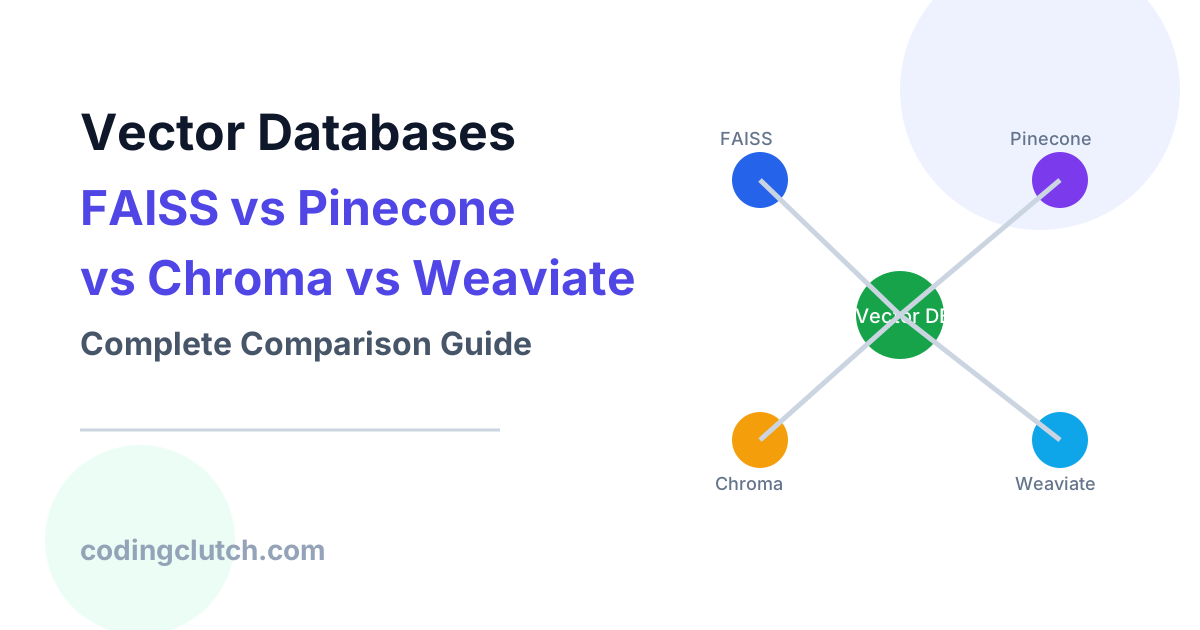
In short, vector search systems were created to address one core need: finding semantically similar items among billions of embeddings quickly and at scale. This underlies AI applications from recommendation engines (similar movies or products) to Retrieval-Augmented Generation (RAG) in LLMs (fetch relevant documents as context). Indeed, as one industry author puts it, “RAG and vector databases went from ‘experimental’ to ‘table stakes’ for production AI apps”. The motivation is clear: semantic matching at scale demands new data structures and algorithms beyond traditional databases. Faiss, Pinecone, Chroma, and Weaviate each emerged to fill that gap, offering specialized storage and indexing for embeddings. But to really understand these tools, let’s first build intuition about how vector search works under the hood.
Building the Mental Model: Embeddings and Similarity Search
Imagine every data item (a sentence, an image, a user profile) is converted into a high-dimensional point by an embedding model. In that space, “meaning” becomes distance. For example, in a 1536-dimensional space, the OpenAI text model might map “cat” and “kitten” to vectors that are very close, whereas “cat” and “galaxy” end up far apart. In intuitive terms, similar concepts cluster together. IBM explains that “vector embeddings are numerical representations of data points (words, images, etc.) as an array of numbers that ML models can process. The more similar two real-world data points, the more similar their respective embeddings should be”. This lets us use geometry: distance or angle between points measures semantic difference. A cosine similarity near 1 (vectors almost aligned) means high semantic similarity; near 0 means unrelated.
The process diagram below illustrates this pipeline: unstructured data (text, image, audio, video) is sent through an embedding service, producing vectors which are stored in a vector database for retrieval. Vector DBs optimize operations like insert/query on these embeddings.
Figure: Source data like text, images, audio, and video are passed through an embedding model to produce vectors; these vector representations are then stored in a vector database for fast similarity search.
With embeddings in hand, similarity search simply finds the nearest neighbors of a query vector. Conceptually this is trivial – check all points – but impossible at scale (billions of vectors times thousands of dimensions). Instead, we build indexes and use ANN algorithms to approximate nearest neighbors. The key trade-off is speed vs exactness: we allow a tiny loss in accuracy to gain orders-of-magnitude speedup.
Several intuitive models help us think about ANN indexes:
- Vector space with clusters: Imagine partitioning the space into regions (clusters). A search only looks in clusters that could contain neighbors, skipping most data. This is like the inverted file (IVF) approach used in Faiss: data is k-means clustered, and search probes only the nearest cluster centroids.
- Graph navigation (HNSW): Picture a network of cities connected by highways and local roads. The highest “layer” of the network has a few major hubs (fast travel). Lower layers add more roads connecting nearby cities (more precision). An HNSW index works similarly: top layers are sparse “highways” linking distant points, lower layers densely connect nearby points. A search starts at a top-layer node and greedily moves closer to the query, then “descends” layers to refine. This skip-list structure (graphs + layered sets of edges) enables logarithmic-time search.
- Quantized approximation (Product Quantization): To reduce memory, we can compress each vector by splitting it into sub-vectors and encoding each with its nearest centroid (an integer ID). Think of encoding coordinates by grid cells. This yields massive compression (e.g. 97% reduction) at the cost of exactness; the database stores small codes and reconstructs approximate vectors during search.
- Locality-Sensitive Hashing (LSH): An older idea is to hash vectors so that similar vectors hash to the same bucket. It’s like grouping words by rhyme or theme. LSH was popular early on but generally superseded by more accurate methods like HNSW or IVF+PQ.
An important detail is the distance metric: we might measure Euclidean (L2) distance, inner product, or cosine similarity. Systems often let you choose. For example, Chroma’s docs explain that L2 measures true spatial distance, inner product ranks by vector length, and cosine ignores magnitude (good for text embeddings). Choosing the metric depends on your embeddings: cosine is common for sentence vectors; Euclidean might suit image embeddings.
Another mental model: dimensionality reduction. High dimensions are harder to search. Techniques like PCA can squash vectors to fewer dims (e.g. 300→50) to speed up search while keeping core info. However, reduction can cost precision. Vector databases typically emphasize smart indexing and compression over lossy dimension cutting.
In sum, visualize a vector database like a layered map of embeddings: broad “highways” let you jump near the right region of the map, then local “streets” let you zoom in. By precomputing links (graphs) or clusters (IVF) and compressing data (PQ, quantization), these systems make huge datasets searchable with sub-second queries.
Internal Workings Deep Dive
Now we dive into the architectures and components of modern vector databases (FAISS, Pinecone, Chroma, Weaviate) and key ANN algorithms. This is the heart of how similarity search actually operates.
FAISS (Facebook AI Similarity Search)
Faiss is an open-source library (from Meta AI) that provides efficient ANN search and clustering. It’s not a hosted service, but a toolkit you embed in your applications. Faiss is written in C++ with Python bindings. It supports GPU and CPU, and a wide variety of index types. Because Faiss is a library, it has no network or persistence – you supply the data and it performs search.
Faiss offers multiple index structures to trade off speed, memory, and accuracy. Some key types:
- IndexFlatL2 / InnerProduct: Exact search (no approximation). Store vectors and compute all distances. Very accurate but slow (O(N) per query).
- IndexIVFFlat (Inverted File + Flat): Partition dataset into nlist clusters (via k-means). Store only the cluster ID for each vector. At query time, only search the nprobe nearest clusters fully (exactly). This reduces comparisons drastically.
- IndexIVFPQ (IVF + Product Quantization): After clustering like IVF, each vector is quantized into m sub-centroids (each subvector to nearest centroid code). Search loads the IVF clusters and then uses compressed vectors. This slashes memory (e.g. 96% reduction) at cost of some recall. Experimentally, adding IVF to PQ took search from ~1.49ms down to 0.09ms (16× faster) while reducing memory to ~4% of flat.
- IndexHNSWFlat: An HNSW graph built over vectors. Search is very fast and gives high recall for static data, but building the graph is somewhat costly.
Faiss also supports scalar quantization (indexing each coordinate to 8 bits) and binary quantization (1-bit per dimension). These reduce memory without clustering.
Faiss’s internal pipeline (e.g. for IVFPQ) looks like: train codebooks (k-means) → assign vectors to clusters → build PQ codes. Query: assign query to clusters → search those clusters (on CPU or GPU) → decompress codes as needed. Faiss also provides GPU modules for certain indices (GpuIndexFlat, GpuIndexIVFPQ, etc.). Notably, Meta worked with NVIDIA to integrate cuVS (GPU-optimized IVF and graph) in Faiss 1.10, achieving ~5–12× speedups on GPU for IVF and HNSW (through NVIDIA’s CAGRA graph).
Key points: Faiss is highly flexible. It’s designed for big datasets (millions to billions of vectors) and offers fine-grained control. However, being a library means you handle persistence, sharding, and real-time updates yourself. Faiss does not natively distribute across nodes or provide a service API. Many other vector databases (e.g. Milvus, OpenSearch) embed Faiss under the hood.
Pinecone
Pinecone is a fully-managed vector database service. It was built from the ground up for vector search. Unlike Faiss, Pinecone abstracts away servers, scaling, and tuning: you interact via an API or client and Pinecone handles the rest. Key architectural features described by Pinecone:
- Automatic indexing: Pinecone continuously indexes incoming vectors so that “writes are instantly searchable”. Under the hood, it uses a custom approach called the Pinecone Graph Algorithm (PGA), based on Microsoft’s FreshDiskANN (Vamana). PGA builds a flat dense graph (all data in one RAM index) and applies scalar quantization to keep memory in check.
- Purpose-built vector-native backend: Pinecone emphasizes that simply bolting a vector index onto a regular DB won’t scale. Their architecture is specialized for vectors. For example, Pinecone uses backpressure to throttle writes when memory is full, and it splits indexes into “shards” (slabs) internally.
- Freshness and Updates: Because Pinecone’s flat graph is dense, updates are incremental. You don’t have to rebuild the entire index for an update: new vectors go into a fast buffer and merge into the main graph asynchronously. This yields second-level freshness on updates (i.e. new data is queryable almost immediately).
- Performance at scale: Pinecone reports extremely low latencies even for very large datasets (e.g. ~30ms p50 on 1 billion vectors). Their PGA index is tuned for throughput and claims better performance/recall than HNSW or vanilla IVF on benchmarks.
- Metadata filtering: Pinecone integrates metadata filters directly into queries (pushdown) so combining semantic and attribute filters doesn’t slow the search.
Under the hood, Pinecone’s index uses scalar quantization aggressively (Pinecone calls it “PQFS”) to reduce memory. By keeping all data in RAM (quantized) and using a dense graph, they can avoid HNSW’s memory bloat on updates. In benchmarks, Pinecone’s indexes (PGA) surpassed typical open-source indexes: on SIFT-128 (1.2M vectors), PGA was faster and/or more accurate than HNSW, IVF, and Google’s ScaNN. Pinecone’s blog notes that integrating “great algorithms” like HNSW alone wasn’t enough; they developed PGA to meet their tenets of ease-of-use, flexibility, and performance.
Chroma
ChromaDB is an open-source vector database emphasizing ease-of-use and cloud-native scaling. Its unique angle is building around object storage (e.g. AWS S3, GCS) for back-end storage. Key elements:
- Object-store-based storage: All vectors, metadata, and index files live on cloud object storage. Chroma then layers caching on top: a small in-memory cache for “hot” vectors, an SSD-based cache for “warm” data, and everything else on S3. This allows practically unlimited scale: your costs primarily reflect storage space, not reserved RAM.
- Single-node indexing (HNSW): In local or single-node mode, Chroma uses HNSW for ANN search. As their docs explain, HNSW builds a multi-layered graph (“highways and local roads”) for search. The user can tune HNSW parameters (
ef_construction,ef_search,max_neighbors) to trade build time/memory against recall. By default, Chroma configures HNSW for good out-of-box performance, but developers can adjust for larger or smaller datasets. - Distributed & SPANN: In cloud/distributed mode, Chroma uses a proprietary SPANN index. This is a two-level scheme: first cluster the vectors broadly, then build smaller local indexes per cluster. During a query, Chroma identifies relevant clusters and only searches within them. SPANN is designed to let queries scale across millions/billions of vectors (even if on disk or in multiple machines). The details are abstracted from users, but it essentially partitions the problem to reduce memory and search work.
- Hybrid search: Chroma also supports full-text or regex search alongside vector search, letting you filter or combine embedding search with keyword matches. This can be useful in RAG scenarios where metadata matters.
Chroma’s cloud offering auto-scales with load, so you don’t manually shard or tune. In benchmarks provided by the company, Chroma can handle 100k vectors with millisecond p50 queries, and scales to multi-hundred-millisecond cold queries at millions of vectors. The architecture is optimized for “serverless” usage. From a user perspective, you create a collection and simply add documents via API; Chroma hides the indexing complexity. For example, their quickstart in Python shows creating a collection, adding text and metadata, and querying by text or vector. The underlying system ensures new vectors become queryable without manual re-indexing.
Weaviate
Weaviate is an open-source AI-native vector search engine and database. It combines vector indexes with a graph-like data model and supports semantic search, hybrid search (keywords + vectors), and even agent-like “memory”. Architecturally:
- Object classes and schema: Weaviate stores objects (e.g. documents) each with properties and an associated vector. It’s essentially a JSON-document database where each object can hold a vector. This means you can store rich metadata (text, numbers, categories) alongside the embedding, and Weaviate can filter or sort by those properties.
- Vector indexes (HNSW, flat, HFresh): Weaviate offers multiple index types. Its default is HNSW: an in-memory layered graph for fast search. For small datasets, it can use a flat index (just brute-force search). Crucially, Weaviate has a dynamic index type that starts as flat and switches to HNSW when data grows beyond a threshold. For very large, memory-sensitive scenarios, Weaviate 1.36 introduced HFresh indexes: these cluster vectors and quantize them (1-bit rotational quantization) so that most data resides on disk. In HFresh, only a compressed “centroid index” (HNSW on cluster centers) lives in RAM; the bulk is on disk with heavy quantization. This trades latency for memory savings.
- Inverted (keyword) indexes: Besides vectors, Weaviate also builds inverted indexes for text/keyword fields. Queries can thus combine a
wherefilter on metadata withnearVectorsearch. The system often applies the filter first (via inverted index), then vector search on the reduced set. - AI integration (vectorizers): Weaviate can automatically vectorize incoming data by calling ML models (e.g. OpenAI, Hugging Face). You configure a “vectorizer” per class. Then when you add an object, Weaviate either uses the provided vector or computes one in real-time.
- Engram: agent memory: Weaviate promotes itself as a memory store for AI agents. Their “Engram” feature treats sequences of vectors as a persistent memory. This is effectively a layer on top of the DB to manage agent state, but it leverages the same vector indexes underneath.
- Scalability: Weaviate can run on Kubernetes with sharding. Each shard holds a subset of objects/vectors. In cloud mode, they handle balancing and replication.
To illustrate, Weaviate documentation notes that “HNSW indexes scale well for very large data sets”, but at high cost of RAM. They recommend PQ/SQ/BQ compression to reduce footprint. In practice, Weaviate is used at enterprises for RAG and semantic search. It supports true hybrid queries and near-vector queries on enormous corpora (often alongside a graph of connections). Weaviate also integrates with vector search frontends (GraphQL, REST API) and cognitive search tools.
ANN Algorithms: HNSW, IVF, PQ, and More
Let’s dig into the core ANN strategies that these systems use:
- Hierarchical Navigable Small World (HNSW): A graph-based method. As Pinecone’s engineering blog explains, HNSW “nets users great recall at high throughput” because of its multi-layer graph. Each graph layer is a “random subsample” of the layer below. A search starts from a random high-layer entry point and greedily moves to neighbors that are closer to the query, layer by layer. In effect, higher layers (sparser) give fast coarse routing, lower layers refine accuracy. The skip-list style means each descent cuts down search space dramatically. Weaviate and Chroma both use HNSW by default. HNSW indices shine for static or mostly-read datasets: they offer very fast query times and high recall. The downside is memory usage and update cost: each new vector adds many edges, so frequent inserts/deletes cause memory bloat. In Weaviate or Chroma, you might rebuild or re-tune HNSW if data changes heavily. Pinecone explicitly avoided HNSW for this reason. Figure: Flat graph index vs hierarchical graph (HNSW). A flat index stores all points in one layer, using a single entry node on the left. A hierarchical index (like HNSW) layers points: layer 2 (very sparse highways) down to layer 0 (full dataset). Searches move from top layers to bottom to hone in on nearest neighbors quickly.
- Flat (Brute-force): For completeness, a flat index just stores the raw vectors and does an exhaustive search. It has 100% accuracy but is linear-time and impractical beyond small sizes. Weaviate uses flat only for very small collections or as a dynamic index initial state. Developers often test a flat baseline to compare recall of approximate indexes.
- Inverted File (IVF): This is k-means clustering: partition data into k buckets (Voronoi cells). At query time, compute which clusters are closest to the query (by centroid distance) and only search those clusters. For example, FAISS’s
IndexIVFFlatorIndexIVFPQdo this. IVF drastically prunes candidates. Pinecone’s architecture (PGA) is actually based on Vamana/IVF, modified to a flat graph structure with two storage tiers. - Product Quantization (PQ): PQ compresses each vector. Split a D-dim vector into m sub-vectors of size D/m, learn k centroids for each subspace, and store each sub-vector as the ID of its nearest centroid. Reconstruction is lossy, but search can use precomputed tables to compute approximate distances. PQ can compress 128-dim floats to a few bytes. Pinecone notes PQ uses ~97% less memory and yields ~5–16× speedups when combined with IVF. The main trade-off: PQ reduces recall. Larger
nbits(more centroids) can improve accuracy at cost of memory and slower queries. In Weaviate, PQ is an available compression mode for HNSW. Chroma’s SPANN likely uses quantization within clusters to store on disk. - Binary/Scalar Quantization: Simpler forms: convert float32 to uint8 (scalar quantization) or to single-bit sign (binary quantization). Weaviate’s “Rotational Quantization (RQ)” example uses a random rotation then 1-bit per dimension to achieve 98–99% recall. These are extreme compressions for RAM savings.
- Locality Sensitive Hashing (LSH): Early ANN idea: project or hash vectors so that similar ones collide. For instance, random hyperplane hashes or SimHash. LSH offers sublinear queries in theory. In practice, HNSW and IVF have largely eclipsed LSH for quality, but LSH is conceptually simple.
In practice, vector databases often combine methods. The common pattern is IVF + quantization (to reduce memory) followed by HNSW (for final refinement) or flat scan within clusters. Faiss IVFPQ is widely used for low-latency at billion-scale. Pinecone’s PGA is akin to an enhanced IVF+graph. Weaviate’s HFresh clusters with HNSW on centroids + heavy quantization behind the scenes. Chroma’s SPANN clusters then uses an internal index per cluster (details not public).
Each algorithm brings trade-offs:
- HNSW: lightning-fast queries, great recall on static sets, but uses lots of RAM and handles inserts/deletes poorly (requires graph rebuilds or parameter tuning). It’s “tuned for throughput” but less flexible on updates.
- IVF: can handle dynamic data more easily (add to a cluster list) and saves memory, but may miss neighbors if the query’s nearest neighbor lives in a cluster you didn’t probe (controllable by
nprobe). - PQ: massive memory saving but loses some precision; good for archiving or very high-dim data where memory is tight.
- Flat: exact but not scalable.
Ultimately, engineers choose or combine these based on dataset size, update patterns, hardware, and recall needs. For example, a recommender might use a small HNSW on GPU for real-time low-latency, whereas an archive search might use SPANN or IVF-PQ on disk for cost efficiency.
Engineering Implementation: Code Examples and Considerations
To see these concepts in action, let’s look at some practical code and design decisions.
Example: Using FAISS in Python
import numpy as np
import faiss

# Generate random vectors (1000 vectors of dimension 128)
d = 128
xb = np.random.random((1000, d)).astype('float32')
# Build a simple flat index (exact search on L2 distance)
index = faiss.IndexFlatL2(d)
index.add(xb)  # add all vectors to the index

# Now query with some random vectors
xq = np.random.random((5, d)).astype('float32')
k = 5
distances, indices = index.search(xq, k)  # find 5 nearest neighbors for each query
print("Nearest neighbors of query 0:", indices[0], "at distances", distances[0])
This example shows a flat index: it stores vectors verbatim and does an exact L2 search. Here, index.search returns the top-k closest vectors for each query. This is accurate (k-NN), but note: for 1000 points it’s fine; for 100 million it would be impossible on CPU.
To speed up, one might use IVF. For instance:
# Create an IVF index with 100 clusters (nlist=100), using FLAT quantizer
nlist = 100
quantizer = faiss.IndexFlatL2(d)
ivf_index = faiss.IndexIVFFlat(quantizer, d, nlist, faiss.METRIC_L2)
ivf_index.train(xb)   # learn 100 centroids on data
ivf_index.add(xb)     # add vectors (each vector is assigned to a centroid list)
ivf_index.nprobe = 5  # search 5 nearest centroids at query time
distances, indices = ivf_index.search(xq, k)
Here, we train the IVF index (k-means centroids), then add vectors. The search only checks the nearest 5 clusters, drastically reducing work. The trade-off: if the true neighbor was in a different cluster, we miss it. You can tune nprobe for recall vs speed.
Faiss also offers GPU indexes by adding .to_gpu() or using GPU-specific classes. These can deliver high throughput if you have a GPU.
Common pitfalls: forgetting to call train(), or mismatched dimensions. Also, using flat on large data will OOM. Choosing nlist roughly sqrt(N) is a heuristic. Quantization (IVFPQ) adds complexity: you must train a PQ codebook and use faiss.IndexIVFPQ.
Example: Pinecone (Python)
Pinecone is a service, so you first initialize the client with your API key (example only, no real key):
import pinecone

# Initialize Pinecone client (using environment variables or hardcode)
pinecone.init(api_key="YOUR_API_KEY", environment="us-west1-gcp")

# Create an index (if not exists)
index_name = "demo-index"
if index_name not in pinecone.list_indexes():
    pinecone.create_index(index_name, dimension=128)

# Connect to the index
index = pinecone.Index(index_name)

# Upsert some vectors with metadata
vectors = [
    ("vec1", np.random.rand(128).tolist(), {"category": "news"}),
    ("vec2", np.random.rand(128).tolist(), {"category": "blog"})
]
index.upsert(vectors)

# Perform a query with a random vector
query_vector = np.random.rand(128).tolist()
result = index.query([query_vector], top_k=3, include_metadata=True)
print(result)
This code shows the workflow: initialize, create, upsert data, and query. Pinecone’s API handles sharding/indexing behind the scenes. Key points: top_k retrieval, and we can also filter by metadata fields (e.g. filter={“category”:{“$eq”: “news”}}) within the same query at no extra cost. In production, you’d handle API errors, batching, etc. Pinecone warns to monitor dimension alignment and namespace use as best practices.
Example: Chroma (Python)
Chroma’s usage is similar to a local database. After pip install chromadb:
import chromadb
from chromadb.config import Settings

# Create a client (local or Chroma Cloud)
client = chromadb.Client(Settings())

# Create a new collection (table) with an embedding function
collection = client.create_collection("news-articles")

# Add documents with IDs and metadata
documents = [
    "Apple releases new iPhone model.",
    "Cats are great pets."
]
ids = ["doc1", "doc2"]
metadatas = [{"source": "tech-news"}, {"source": "pet-blog"}]
collection.add(documents=documents, ids=ids, metadatas=metadatas)

# Query by text (Chroma will embed and search)
results = collection.query(query_texts=["new smartphone release"], n_results=2)
print(results)
Chroma handles the embedding of the query (using your configured embedding function) and performs a vector search, returning the most similar documents. In this example, it should surface “Apple releases new iPhone model.” because of similar content. Chroma also allows filtering on metadata or text with .query() parameters. Implementation-wise, Chroma stored these vectors (on disk or memory depending on mode) and uses an HNSW index for fast search.
Example: Weaviate (Python)
Using Weaviate’s Python client:
from weaviate import Client

client = Client("http://localhost:8080")  # or cloud URL
# Define a schema if not exists
schema = {
    "class": "Article",
    "properties": [{"name": "text", "dataType": ["text"]}]
}
if "Article" not in client.schema.get("classes"):
    client.schema.create_class(schema)

# Add an object with a vector (assuming we have an embedding)
text = "Deep learning scales with more data."
embedding = call_embedding_service(text)  # e.g. OpenAI API call
obj = {"text": text}
client.data_object.create(data_object=obj, class_name="Article", vector=embedding)

# Query by vector
query_emb = call_embedding_service("How does machine learning improve?")
resp = (
    client.query
    .get("Article", ["text"])
    .with_near_vector({"vector": query_emb})
    .with_limit(3)
    .do()
)
print(resp)
Here, we manually embed and store a vector with the object. A near-vector query fetches the top-3 most similar articles. Weaviate would, by default, use its HNSW index to perform this search. In production, note: Weaviate can auto-vectorize via vectorizer config, handle thousands of objects per second with batching, etc. It also supports with_where to filter on object fields alongside vectors. A common pitfall: schema mismatches or forgetting to specify an embedding (if not using auto-vectorization).
Performance Considerations and Pitfalls
- Memory vs Latency: In all systems, more memory typically means faster search. HNSW is very fast but needs RAM. The Pinecone blog warned that bolting HNSW onto a regular DB leads to memory blow-ups. By contrast, Chroma and Weaviate offer disk-offloading via caches or HFresh for memory-limited scenarios, but queries are slower.
- Accuracy vs Speed: Tuning index parameters trades accuracy for speed. E.g., Chroma’s
ef_searchoref_constructionin HNSW: raising them improves recall but slows things. In practice, one tests with small probes and measures recall. With IVF, increasingnprobeapproaches full scan (higher recall, slower). - Scaling and Sharding: Faiss alone won’t auto-shard; you must split data and run multiple queries. Pinecone/Weaviate/Chroma cloud do sharding for you. However, distributed search introduces complexity: merging results from shards, network overhead, and consistency. System architects must consider how to distribute vectors (hash or range shards?), especially with updates.
- Refresh/Consistency: Pinecone advertises “O(sec) data freshness” – new data is immediately queryable. In Faiss, you typically rebuild indexes to include new data. Weaviate and Chroma can append to HNSW in-memory graphs (though might need periodic rebuilds for full optimization).
- Vector Dimensionality and Embedding Quality: All these systems assume good embeddings. Engineering caveat: if your embedding model changes (new version), the vector space shifts and you may need to re-index old data. Also, choosing the wrong metric (L2 vs inner product vs cosine) can degrade results if it doesn’t match your embedding’s geometry. Both Chroma and Weaviate warn users to pick the metric compatible with their embedding model.
- Metadata Filtering: When combining vector search with filters, it’s more efficient if the DB can filter before or during vector search rather than post-filter. Weaviate’s query planner first uses its inverted indexes on
whereclauses to limit candidates, then does vector search on those. Pinecone also integrates filtering seamlessly (maintaining speed). By contrast, a naïve implementation might vector-search everything then drop 90% of results, wasting time.
Summary of Code Insights
From these examples, we see the developer workflows: Faiss and Weaviate (self-hosted) require more setup (install, manage schema/index, handle persistence). Pinecone and Chroma (hosted or fully managed) abstract infrastructure. Still, choices remain: pick an index type and parameters tuned to your data size and SLAs. Test recall vs latency trade-offs. Monitor resource usage (e.g. Weaviate’s “hot” memory for HNSW). A common mistake is to neglect batch sizes or asynchronous writes in production; e.g., adding vectors one-by-one can be much slower than chunking.
Real-World Systems: Who Uses Vector Search and How
Netflix: As the walkthrough above shows, Netflix’s recommendation system now uses transformer-based embeddings for users and items. Behind the scenes, they likely use ANN libraries (perhaps Faiss or Google’s ScaNN) to serve millions of nearest-neighbor queries per second for recommendations and search. The medium example demonstrates a toy Netflix with user/movie 3D embeddings, illustrating how cosine similarity ranks movies for a user. Netflix inspired many RAG pipelines, but this example shows “at scale, exact cosine for all pairs is impossible – that’s why FAISS is used”.
Spotify: Spotify open-sourced Annoy in 2013 (for music similarity). Ten years later, Spotify still used ANN heavily in production (for Discover Weekly etc.). They found new HNSW libraries to be 10× faster than Annoy. Spotify’s recent Voyager project combines HNSW (via hnswlib) into a production-ready library with Java/Python bindings. They emphasize factors beyond pure search speed: flexibility to tune algorithms, stateless in-memory deployment (preferring embedding indexes in service pods over external DB), and multi-language support. This shows one paradigm: some companies prefer to embed an ANN index directly in their application (e.g. in a Java microservice) for low-latency, rather than a remote DB.
Facebook/Meta: Meta’s FAIR group developed Faiss, and it’s heavily used internally for image/video search and data analysis. They also collaborated with NVIDIA on GPU acceleration, indicating they run huge-scale GPU searches (e.g. billions of embeddings for image similarity). Meta’s blog also notes they’ve benchmarked Faiss on big datasets: e.g. first 1 billion-vector kNN graph. Probably products like Facebook search (similar photos, friends) rely on Faiss-like systems under the hood.
Google & Microsoft: Google developed ScaNN (another ANN library) and applies embedding search in services like Google Search and YouTube recommendations (e.g. video-to-video search). Microsoft’s Azure Cognitive Search and ML services now include vector search (their MS Learn doc compares IVF/HNSW/PQ methods). Amazon’s Alexa and retail recommendations use embeddings for personalization. In general, big tech all use some form of vector search. Even enterprise DBs are adding it (PostgreSQL’s pgvector, Oracle, etc).
Weaviate Cloud & Pinecone: These are used by companies building GenAI products. For example, Weaviate shares case studies of customers using it for product recommendations and knowledge bases. Pinecone highlights clients in NLP and search. Many startups launching chatbots or analytics platforms rely on managed vector DBs to avoid building their own infrastructure.
Across these use cases, we see common themes: massive data scales (10M–1B+ vectors), real-time query needs (<100ms), and hybrid queries (semantic + keyword filters). Companies build multi-tier architectures: e.g. a frontend passes query to a vector DB, combines results with other logs or metadata, then feeds into an LLM. They must consider single vs multi-tenant clusters, replication for fault-tolerance, and monitoring (memory usage often spikes due to ANN graph overhead).
Relevance in the AI Era
Why should today’s AI engineers care deeply about vector databases? Because they form the backbone of modern AI services. Retrieval-Augmented Generation (RAG) is now ubiquitous: chatbots that answer from corporate docs, AI assistants that understand your codebase, virtual agents with memory. All these rely on vector search. Pinecone explicitly ties its roadmap to GenAI: “the demand for vector databases has been rising steadily as RAG becomes integral to GenAI applications”. Weaviate’s homepage emphasizes RAG and agentic AI workflows. The table-stakes article argues any non-trivial AI system must include RAG and vector DBs.
In an LLM pipeline, the flow is: user query → convert to vector → retrieve relevant documents from vector DB → feed them into the prompt. The quality of retrieval heavily influences answer accuracy. If your DB returns poor neighbors, the AI hallucinates. If it’s slow, user experience suffers. Therefore, understanding how vector indexes work, how to tune recall/speed, and how to scale them is now critical ML engineering knowledge.
Vector DBs are also used as long-term memory for AI agents. Weaviate’s “Engram” treats vector stores as persistent memory banks that agents read/write. Multi-agent systems might each have their own vector store or share namespaces. This is cutting-edge: e.g. an agent writes a summary of a meeting as an embedding; later the agent can query its memory for “what did we decide about X?”
From a cloud-native perspective, vector DBs are evolving with the AI stack. They are now offered as managed cloud services (Pinecone, Weaviate Cloud, Zilliz Cloud/Milvus, Vespa Cloud) and as features in ML platforms (Azure OpenAI, AWS Bedrock connectors). They integrate with pipelines: you see connectors like “LangChain + Pinecone” or “LlamaIndex + Chroma.” This means knowledge of vector DBs is becoming a fundamental skill for MLops and AI infrastructure, much like knowledge of SQL databases was for web apps.
Finally, vector DBs intersect with other trends: multi-modal search (crossing text, image, audio vectors in one index), federated learning (search on encrypted embeddings), and quantum-inspired search (yes, companies are even experimenting with that). They also spark new R&D (e.g. retrieval augmentation improves LLM efficiency drastically – up to 70-95% token use reduction in one Pinecone agent case study). In summary, vector databases are not a niche anymore – they are the enablers of many generative AI architectures.
Advantages, Limitations, and Trade-offs
Every vector search solution has pros and cons. Understanding them is key to choosing the right tool.
- FAISS (Library)
- Advantages: Highly optimized C++ implementation; many index options (HNSW, IVF, PQ, etc.); GPU support; open-source and free; battle-tested in research. Excellent for building custom solutions and integrating into ML workflows.
- Limitations: Not a service – no built-in replication or query API. It’s up to you to manage servers. Lacks metadata filtering out-of-the-box (you’d filter after retrieving vectors). No automatic scaling. Concurrency must be handled by your application. Updates/inserts require manual index management.
- When to use: You need maximum control or have a very specialized use-case. Great for prototyping, academic work, or as a component in a bigger system (e.g. powering a vector column in a DB).
- Pinecone (Managed Service)
- Advantages: Zero ops – fully managed, auto-scaling. Supports rich queries with filtering. Offers global replication and multi-tenancy. Excellent client libraries and docs. Designed for low-latency at very large scale (e.g. 1B vectors at ~30ms). Offers things like autoscaling, time-to-live on data, etc.
- Limitations: Proprietary and paid (pay-per-usage). Black-box indexing (you can’t tweak HNSW parameters or inspect clusters). Being closed-source, you’re dependent on their SLAs and data policies.
- Trade-offs: Pinecone trades maximum flexibility for ease and reliability. It abstracts away memory vs speed tuning. If your data changes rapidly, Pinecone’s incremental index ensures freshness with no downtime. But if you need a novel index algorithm, you can’t plug it in.
- Chroma (Cloud / Open-source)
- Advantages: Open-source or managed. Hybrid queries (vector + regex/text). Scales by leveraging cheap object storage – you essentially pay only for storage and CPU bursts. No need to pre-warm an index fully; cold data can live off-heap. Developer-friendly Python interface. Good for multi-tenant use and varying workloads (serverless).
- Limitations: Because it layers memory over object storage, “cold” queries can be slow (you’ll pay a latency penalty on cache misses). Some advanced tuning parameters are hidden (SPANN is automatic). As of writing, Chroma’s open-source version is single-node HNSW – you must rely on Chroma Cloud for distributed scale.
- Trade-offs: Chroma sacrifices raw speed (vs in-memory only DBs) for scalability and cost efficiency. It also mixes in hybrid text search, which isn’t present in many other vector DBs. It may be best when costs matter and workloads are bursty.
- Weaviate (Graph-DB style)
- Advantages: Schema-driven (like a DB) with vector search. Supports hybrid semantic+filter search very naturally. Extensible with modules (e.g. Kafka queue, vector transformations). Offers HFresh for ultra-large data with minimal RAM. Open-source but also available as managed service. Has built-in ML model integrations (for on-the-fly embeddings).
- Limitations: The tight coupling of object schema and vector store can be overkill for simple use-cases. It can be heavy: a small index may still load a lot of memory for the HNSW graph. HFresh helps on disk, but queries are slower. Designing the schema upfront adds complexity.
- Trade-offs: Weaviate is more of a full-fledged database (with GraphQL API, REST, etc.) that happens to excel at vector tasks. Its vector index (HNSW, HFresh, etc.) is just one component. If you need advanced semantic search integrated into an existing app, Weaviate might fit; if you just want key-value-like vector lookup, it might be more than needed.
Algorithm trade-offs (HNSW vs IVF vs PQ, etc):
- HNSW has high recall and speed, but uses O(N·M) memory (M =
max_neighbors). It’s great until RAM is scarce. Also, dynamic updates can require rebuilding if too many insert/delete operations accumulate. - IVF+PQ can handle larger N with limited RAM (PQ compresses), but recall can drop (especially if
nprobeis low). It usually needs careful tuning of cluster count and probe count. - Flat (no index) is trivial to implement but only works for small N or when you can massively parallelize (e.g. GPU brute-force).
- Disk-based (Chroma/SPANN, Weaviate HFresh): memory cost plummets, but disk I/O increases latency. If your SLA is tight (<100ms) you might only tolerate a small fraction of disk hits.
In all cases, quality of embeddings is a hidden factor. Even a perfect ANN engine can only retrieve what’s encoded in the vectors. Garbage embeddings mean garbage results; often improving search accuracy means improving the neural model or fine-tuning embeddings, not just the index.
Career Impact & Future Opportunities
Vector search expertise is increasingly valuable in tech careers. As ML/AI roles proliferate, knowing how to build and scale similarity search systems sets you apart. Positions like AI Engineer, ML Engineer, Data Engineer, and Architect often require understanding embeddings and ANN. For example, interviews at AI companies frequently include questions on nearest-neighbor search complexity or how to retrieve similar items efficiently. In the next few years, we expect vector databases to become a standard in ML stack, much like SQL and NoSQL are today.
Demand is skyrocketing. Many job postings now list “experience with Pinecone/Weaviate/Milvus/FAISS” or “knowledge of ANN algorithms” as a plus. Cloud providers (AWS, Azure, GCP) are rolling out vector DB services (e.g. AWS Kendra/Bedrock, Azure AI Search, Google Vertex AI Search), which means enterprises of all sizes will use these tools. Even for traditional backend roles, understanding embeddings can be crucial – for instance, recommending products on a shopping site via nearest neighbors.
Looking forward, expect vector search to integrate with AI Agents and LLM ops workflows. For example, multi-agent systems may use vector DBs to share knowledge across agents (each agent reads/writes to a persistent memory store). Learning about vector DBs now prepares you for roles in “Augmented Intelligence” teams where agents, retrieval-augmented models, and embedding indexing are daily concerns. The Dev.to article notes that vector databases are now “table stakes” – you should care, because not using them means your AI is limited by its training cutoff and lack of knowledge integration.
For upskilling: gain hands-on with at least one vector DB (e.g. set up a small FAISS index, or deploy Chroma/Weaviate locally), practice embedding text and images, and understand trade-offs. In interviews, be ready to discuss why exact search fails at high dims, how HNSW works, or how you’d design a RAG pipeline. Also watch out for Caveats: embedding drift, vector store versioning, and ensuring high availability at scale. But overall, expertise here is a ticket to cutting-edge AI infrastructure roles.
Vector databases and ANN algorithms have become foundational in the AI era. We’ve seen that traditional data stores can’t handle the task of semantic similarity at scale – hence the rise of specialized tools like FAISS, Pinecone, Chroma, and Weaviate. This guide dove deeply into why these systems exist, how they work internally (graphs, quantization, indexing structures), and how engineers actually implement them. We showed the intuition: embeddings map meaning to geometry, and ANN indexes map geometry to efficient search. We walked through code for each system and discussed real-world architectures from Netflix to Spotify. We also connected it all back to AI: vector search is the engine behind RAG, agent memory, and next-gen recommender systems.
Understanding these layers – from high-dimensional geometry down to GPU-accelerated search – equips you to build the AI infrastructure of tomorrow. By mastering vector databases, you enable systems that “truly understand” content rather than just matching text. As generative AI proliferates, this expertise is not just theoretical: it powers the chatbots and recommendation engines that define the near future of technology.