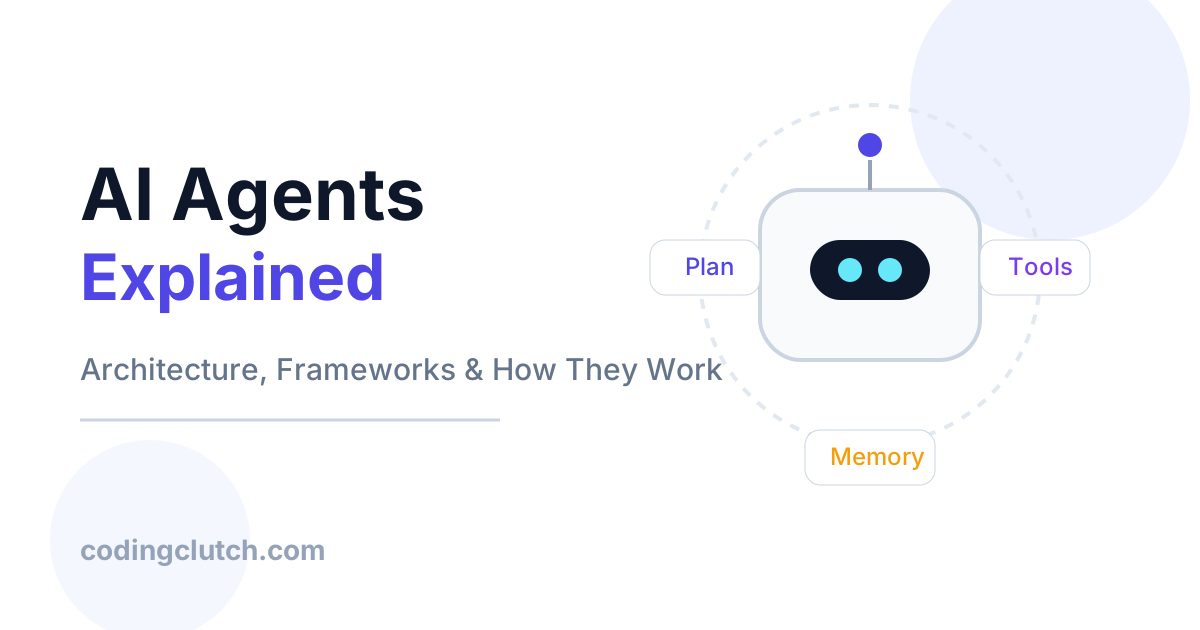
Imagine you need an assistant to plan a complex project – not just answer a question, but break the project into steps, call different tools (a calendar, email, search engine, or databases), adjust plans on the fly, and even involve other specialized bots to handle parts of the task. Modern chatbots and simple scripts fall short for such multi-step, goal-driven scenarios. This is where AI agents enter the scene. An AI agent is an autonomous system that can perceive its environment (including user requests), reason to formulate a plan, and act (often by invoking tools or APIs) to achieve a goal.
Why does this matter in 2026? The past few years have seen explosive advances in large language models (LLMs) and generative AI, and engineering teams now have the compute and tools to build agentic systems that do more than just chat. According to AWS, autonomous AI agents are “the next significant evolution in artificial intelligence, moving beyond conversational interfaces to systems that leverage AI to reason, plan, and complete tasks in tandem with – or on behalf of – humans”. Enterprises are rapidly adopting agent technology for everything from customer support bots to automated research assistants.
If you’re a CS student, software engineer, or AI practitioner, understanding AI agents is becoming essential. This article will demystify AI agents from the ground up. We’ll start with the core concepts (what exactly an agent is, how it differs from a regular program, and why it solves a distinct problem). Then we’ll unpack the architecture of an agent – its modules for perception, memory, reasoning, and action. You’ll see, step by step, how each component works and why we need it. We’ll explore major frameworks and libraries (LangChain, AutoGen, Google’s Genkit/ADK, etc.) and show production-quality code examples in Python, Java, and JavaScript. We’ll examine real-world use cases (how companies like Google, Netflix, Amazon, Uber, OpenAI, and Meta leverage agents), discuss performance and scalability trade-offs, highlight common beginner mistakes, and review best practices senior engineers follow.
By the end, you’ll have a deep, intuitive understanding of AI agents – enough to build your own, avoid pitfalls, explain them in interviews, and anticipate where this field is headed next.
PREREQUISITES
To get the most out of this article, readers should be familiar with:
- Basic machine learning and deep learning concepts (especially large language models).
- General software engineering principles (APIs, microservices, REST, etc.).
- Some exposure to conversational AI or chatbots.
- At least one programming language (we’ll show examples in Python, Java, and JavaScript).
- Basic understanding of cloud platforms or container-based deployment can be helpful, but is not mandatory.
We will explain concepts from the ground up, so even if you’re new to AI agents specifically, the explanations and analogies should make it clear. However, some knowledge of LLMs and building simple chatbots will help solidify the new concepts.
CORE CONCEPTS
What Is an AI Agent (Intuition and Problem Solved)
Traditional programs or scripts do exactly what you code them to do – in order. In contrast, an AI agent is like a digital assistant with its own autonomy. It perceives inputs from its environment (user requests, sensor data, etc.), decides a sequence of steps to achieve a given goal, and then takes actions (often by calling tools or APIs) to carry out those steps, possibly adjusting on the fly. Crucially, it can break a high-level goal into sub-goals, maintain context or memory, and even call other agents or services without the user scripting every step.
One helpful analogy is a self-driving car. A car’s autopilot is an agent: it continuously reads inputs (camera images, speed sensors), plans a route, makes decisions (brake, turn), and acts on its environment, all without the driver issuing commands for every maneuver. Similarly, an AI agent in software might be given “plan a business trip to Paris,” and it could look up flights, hotels, create an itinerary, and book reservations on its own.
Formally, a recent survey defines an AI agent as “a system that is capable of autonomously performing tasks on behalf of a user or another system by designing its workflow and utilizing available tools”. In simpler terms: an AI agent is an autonomous, goal-driven software entity. It knows what it wants to achieve, knows (or can find) how to do it, and executes actions until the goal is met.
Why not just use a standard LLM or script? Because agents can handle multi-step, dynamic tasks. Imagine asking a language model, “Plan a 3-day trip to Kyoto including restaurants.” A pure LLM might struggle to plan details or pull live data (like current weather or flight info). But an agentic system can combine an LLM with external tools: first query a flight search API, then check hotel availability, then use a map API for itineraries, all the while reasoning step-by-step. In effect, the agent orchestrates a mini-workflow. This dynamic problem-solving ability is what sets AI agents apart from one-shot calls to an LLM or rigid automation.
In today’s engineering landscape, this matters because many real-world tasks are complex and evolving. For example, automating DevOps, customer support, research, or business processes often involves conditional logic and use of multiple services. Agent frameworks let us tackle these without hand-coding every branch. Instead, we encode goals and tools, and let the agent’s “AI brain” figure out the how. This makes development faster and systems more adaptable. As one AI blog notes, autonomous agents can reason, plan, and complete tasks on behalf of humans – effectively taking AI from passive tools to active participants.
Agents vs. Traditional Programs and Chatbots
It’s instructive to contrast agents with related concepts:
- Regular programs/scripts: These do exactly what you code. They lack flexibility: each scenario must be pre-programmed. They have no built-in notion of goals or adapting to new information during execution. If the process changes, a developer must change the code.
- Chatbots (conversational agents): Often based on LLMs, they can answer questions or have dialogue. But vanilla chatbots (like a customer support bot) typically handle one-turn questions or follow scripts. Traditional chatbots rarely invoke external tools or plan multi-step actions on their own. They don’t maintain a long-term goal beyond the conversation.
- Robotic Process Automation (RPA): RPA bots automate GUI interactions in a fixed order (e.g., log into a system, copy data). They are essentially advanced macros; they do not “reason” or deviate from the script based on context, nor do they use LLMs for interpretation.
- Reinforcement Learning agents (game-playing AI): These learn through reward signals to make decisions (e.g., AlphaGo). They are agents in an academic sense, but usually constrained to a specific environment and learned through trial and error. Our focus is on LLM-based agents that reason with knowledge and tools.
An AI agent system is more like a goal-driven, adaptable program. For example, semantic kernels and Microsoft’s documentation describe agents as “software entities designed to perform tasks autonomously or semi-autonomously by receiving input, processing information, and taking actions to achieve specific goals”. Unlike a simple API call, the agent may process that input through reasoning steps. Agents can also collaborate: multiple agents might handle different sub-tasks in a complex workflow, communicating with each other.
Types of AI Agents
There are different design paradigms for agents:
- Reactive agents: These follow simple rules or reflexes (if-then), reacting to inputs without explicit planning. For example, a bot that immediately calls a weather API when you mention “weather” is reactive. This is more like traditional scripting and is limited.
- Deliberative agents (planning agents): These agents maintain an internal plan or use a chain-of-thought to decompose tasks. They explicitly reason about steps. For example, using a large language model to outline steps (“First check flights, then check hotels, then compile itinerary”) is a deliberative approach.
- Hybrid (ReAct) agents: The ReAct paradigm (Reason+Act) mixes chain-of-thought with tool use. The agent produces alternating “thoughts” (reasoning steps) and “actions” (tool/API calls) as it solves a task. This lets it plan dynamically, reevaluating after each action. ReAct agents, introduced in 2023, can flexibly adjust their plan based on results (like a human thinking out loud). For instance, an agent might “think” ‘We need the weather forecast’, then call a weather API, then see “it’s raining,” then “decide” ‘Check indoor activities’.
- Multi-agent systems: Here, multiple specialized agents work together on a task. Each agent might have a role (e.g., “data collector”, “analyst”, “executive summarizer”). They coordinate via message passing or shared memory. MetaGPT is an example of a framework for this. Multi-agent setups mirror how teams in companies collaborate: an initial “manager agent” might assign research tasks to worker agents, then aggregate results.
For our purposes, we’ll mostly focus on single-agent systems and simple multi-step reasoning. The key is that modern AI agents often combine LLM reasoning with external tools in a loop. Tools can be APIs, code execution, database queries, or even other models. By using tools, the agent extends its capabilities beyond the LLM’s internal knowledge.
In summary, AI agents are autonomous, goal-driven systems that plan and act to solve tasks. They stand apart from static scripts by their reasoning and adaptability, and from basic chatbots by their ability to do things (not just talk). They solve a big problem: how to automate complex tasks end-to-end without hard-coding every step. In practice, agents open new possibilities in software automation.
ARCHITECTURE OVERVIEW
To understand an AI agent’s architecture, think of it as a pipeline of components processing information from input to output. A high-level ASCII diagram might look like this:
User/Environment Input
       ↓
  [ AI Agent System ]
   ├ Perception (NLU/Parsing)
   ├ Knowledge & Memory (DB/vector store)
   ├ Reasoning & Planning (LLM core)
   ├ Tool/Action Integration (API calls)
   ├ Execution/Output
   └ Learning & Adaptation
       ↓
Output/Effects in Environment
Each arrow above represents data flow. The input (user query, sensor data, etc.) first goes through a Perception module, which parses text, images, or other signals. It converts raw data into a structured form (tokens, embeddings) the agent can use. Then the agent consults its Knowledge & Memory: this could be a knowledge graph, a vector database of documents, or a conversational history. It retrieves relevant context needed for the task.
Next comes Reasoning & Planning, often powered by an LLM or a combination of models and algorithms. Here the agent decides what to do. For example, it might use chain-of-thought to break the goal into steps: “step 1: check calendar for free days; step 2: search flights; step 3: book accommodations”. The planning output is a sequence of actions.
These actions go to the Tool/Action Integration layer. This is where the agent calls external tools or APIs. For instance, if one action is “search for flight prices,” the agent might make an API call to a flight service. If an action is “do math,” it might invoke a calculator tool. Each action returns a result (observation) that is fed back into the agent.
Finally, the agent produces an Output – this could be a final answer to present to the user, or it could be side-effects like emails sent, calendar events created, or code deployed. Meanwhile, the agent may learn or adapt: for example, updating its memory store with new information (like user preferences) or adjusting its future planning strategy based on results.
Figure: Core components of a modern AI agent architecture. The agent perceives input, uses memory and knowledge, engages a reasoning core (often an LLM) for planning, and invokes tools/actions to produce output. (Adapted from an academic survey.)
In the figure above, you see boxes labeled Perception, Knowledge Representation, Memory, Reasoning, Learning, and Action. This reflects the core components identified by recent research. Arrows indicate how information flows: from raw input (left) through perception into the agent’s reasoning engine (center), aided by stored knowledge (bottom left) and memory (bottom middle). The agent outputs actions (right), which affect the environment.
To illustrate with a concrete example: suppose the agent’s goal is “Plan a business trip itinerary.”
- Perception interprets the text “Plan a 3-day trip to Paris next month.” It understands this as a request to schedule activities and logistics.
- Knowledge & Memory might include current calendar data, the user’s travel policy, or general facts about Paris. The agent retrieves relevant info (e.g., calendar availability, recommended sites).
- Reasoning & Planning (LLM) breaks down the goal: day-by-day plans, travel times, budgets. It might output intermediate thoughts like “First, book flights. Then, find a hotel. Next, list sightseeing activities each day.”
- Tool/Action Integration uses APIs: calling a flight search tool, a hotel booking API, or even Google Maps for distances. Each API call’s result (flight options, hotel options) feeds back into the agent to refine planning.
- Execution/Output: The agent might finalize by printing an itinerary or actually booking the chosen flight and hotel.
- Learning & Adaptation: If the user gives feedback (“These flights are too expensive”), the agent updates its criteria and tries alternatives.
Each component is crucial:
- Perception is needed because input may be unstructured text or images. It might involve NLP or even vision if needed.
- Memory/Knowledge lets the agent maintain context across steps (what flights were suggested, user preferences) and recall facts (e.g., average weather in Paris). Without memory, agents would “forget” past steps.
- Reasoning/Planning is the core intelligence. The LLM or planning algorithm evaluates options and decomposes tasks. Agents rely on the LLM’s chain-of-thought to “think step by step,” which improves problem-solving.
- Action Tools are how agents do things in the world. By connecting to real tools, agents become far more capable than an LLM alone.
- Learning allows improvement over time, adapting strategies (for example, reinforcing methods that succeeded). This isn’t always used in basic agents, but in advanced systems, the agent might fine-tune itself or log outcomes for future reference.
The flow is iterative and dynamic. After an action, the agent re-enters perception (reading the tool’s result) and loops through reasoning again. This “think-act-think” loop continues until the goal is met or a stopping criterion is reached (like a final answer given to the user).
In summary, an AI agent’s architecture is a modular pipeline integrating language understanding, memory, reasoning, and tool use. The example diagram and above description give an overview. In the next section, we’ll dive into each component step-by-step to see how and why each is built the way it is, including trade-offs and best practices.
STEP-BY-STEP: AGENT COMPONENTS
Now we examine each major component of an AI agent architecture in detail: what it is, why it exists, how it works, and what design decisions or pitfalls to consider.
Perception (Input Interpretation)
What it is: The perception module ingests raw input (text, voice, images, etc.) and converts it into a form the agent can use (usually text tokens or vectors). Essentially, it is the agent’s “sensory system.” For a text-based agent, perception often means Natural Language Understanding (NLU): parsing the user’s request, extracting intent and entities, and structuring the query. For multimodal agents, it could include image recognition or speech-to-text before NLU.
Why it exists: Real-world inputs are messy and unstructured. A user might type “Schedule dinner with Sarah tomorrow.” The agent needs to extract the key information: task=“schedule meeting”, who=“Sarah”, when=“tomorrow evening”, context=“dinner”. Perception ensures the agent is not confused by extra words or irrelevant details.
How it works: Commonly, perception uses NLP pipelines. This might include:
- Tokenization and parsing: Breaking text into tokens or words, tagging parts of speech.
- Intent classification/entity recognition: Using machine learning (or prompt-based) to identify the user’s intent and relevant parameters.
- Prompt engineering: Many agents simply feed the raw text (or a cleaned version) into the LLM, trusting it to interpret it. In this case, perception may be just minimal cleaning.
Analogously, in a more visual agent, perception would involve computer vision models turning images into detected objects/labels.
Example: A user says, “Find me the 3 best hotels in Kyoto under $150.” The perception module might identify intent “search_hotels”, location=“Kyoto”, count=3, price_limit=150. It might then produce a JSON like {"action":"search_hotels","location":"Kyoto","n":3,"max_price":150} which the reasoning core consumes.
Trade-offs: A very lightweight perception (just raw text) is easy to implement, but might put all the burden on the LLM. A heavy pipeline (multi-stage NLU) can be more robust but adds complexity and potential points of failure. In practice, many modern LLM agents rely on the model itself for interpretation (prompting it to parse the command) to simplify development, but adding rule-based checks (e.g., verifying date formats) can improve reliability.
Common mistakes:
- Over-trusting the LLM: if the input is ambiguous, the LLM might misinterpret a query. It’s safer to do explicit entity extraction for critical fields.
- Ignoring input validation: If the user says “tomorrow” but it’s late at night, calendar arithmetic matters; perception should handle time normalization.
- Not supporting multi-turn: Agents should keep track of the conversation context. If the user says, “Actually, make it 4 days,” perception must understand that “it” refers to the trip length, not something else.
Best practice: Design a clear, structured intermediate format. For example, many frameworks use a “function calling” schema where perception maps inputs to a JSON schema of functions and arguments. This formalism helps prevent the agent from drifting. As a human analogy, perception is like understanding spoken instructions clearly before acting – it’s vital to get this right, or the rest will go astray.
Knowledge Representation & Memory
What it is: Knowledge and memory are how an agent stores and retrieves information over time. This includes:
- Long-term knowledge: Facts and context that persist across tasks (e.g., user profiles, company policies, knowledge base of domain-specific info).
- Short-term memory: Recent conversation history or intermediate results needed during one session.
- Retrieval systems: Databases or vector stores that the agent queries to get relevant info.
In architectures, knowledge might be a Knowledge Graph or a vector database (like using embeddings). Memory could be a context buffer or an external memory tool (embedding store).
Why it exists: Agents often need context beyond the immediate prompt. For example, when booking a trip, the agent should remember what it already proposed in earlier steps. Without memory, every agent’s response is isolated. Long-term knowledge lets the agent use facts (like flight durations or user preferences) that it has stored. For autonomy, memory lets the agent learn from outcomes: if it recommended a hotel and the user later cancelled, the agent might adjust future choices.
How it works: Typically:
- The agent uses the LLM’s context window to remember recent turns (short-term context).
- It stores long-term info in external storage. Many agents use Retrieval-Augmented Generation (RAG): they index documents (like support manuals, previous conversations, and user data) in a vector database. When needed, they retrieve the top relevant pieces (based on semantic similarity) and include those in the prompt to the LLM.
- Memory can be explicit (e.g., writing a summary of a conversation to a database) or implicit (relying on the LLM to recall facts from fine-tuning or prompt context).
Example: Suppose the agent is handling ongoing customer support. A memory subsystem might log that the user’s preferred language is Spanish. Later, the agent ensures responses are in Spanish without being told again. Or the agent might store that the user’s favorite café is “Blossom” so it can suggest it in future meeting planning.
Trade-offs: Memory enhances agents but has costs:
- Complexity: Implementing memory retrieval (like a vector search) adds overhead.
- Latency: Fetching from a database can slow things down.
- Data staleness: Long-term memory needs updating (e.g., user preferences may change).
Some agent frameworks let you configure how much memory to use. For short tasks, heavy memory isn’t needed; for long, complex sessions, it’s crucial.
Common mistakes:
- Context overflow: Feeding too much memory/context into the LLM can exceed its token limits, causing truncation. Agents must decide what to keep: often a summary or the most relevant facts.
- Spurious memory: Keeping irrelevant data or not cleaning old data can confuse the agent. For example, if the memory still has “prefer Italian food” but the user now prefers Mexican, the agent might make bad suggestions.
- Circular loops: If an agent stores its own generated text back into memory and keeps retrieving it, it can loop on itself (known as “memory echo”). Monitor for this.
Best practice: Use memory deliberately. For example, only store entities or summaries, not every user message. Many frameworks provide memory classes (buffer memory, vector memory) to manage this cleanly. As a rule, think of memory like human notes: jot down key facts or to-dos, not the entire chat transcript. Also, namespace your memory by session or user to avoid cross-user leakage.
In summary, knowledge and memory give agents contextual awareness. They turn an agent from a stateless responder into a stateful assistant that “remembers” and leverages past knowledge.
Reasoning & Planning (LLM Core)
What it is: This is the “intelligence” or “brain” of the agent. Often (especially today), it involves a large language model (LLM) like GPT-4 or Claude, which generates the agent’s internal thoughts, plans, and decisions. It performs chain-of-thought reasoning, evaluating how to break a goal into steps and in what order to invoke tools.
Why it exists: The whole point of an agent is to reason through steps autonomously. Unlike simple scripts, an AI agent needs to be able to handle novel scenarios by thinking them through. LLMs excel at natural language reasoning: they can simulate an internal monologue. When the agent faces a goal (e.g. “book the cheapest tickets”), it needs to consider multiple options, maybe reevaluate after each action, and choose the best next step. This is decision-making and planning.
How it works: The LLM is typically used in one of two ways:
- Chain-of-Thought / ReAct prompting: The agent prompts the LLM with the current context and asks it to output a “thought” (reasoning step) and optionally an “action” (tool use). For example, an agent prompt might be: “Agent thoughts: [reasoning here] Action: [tool name].” The LLM may provide text like:
Thought: I should find flights first. Action: search_flights(“NYC to Paris”, date=”2026-07-10″).
This ReAct style (Reason+Act) is described in recent research. Each time the LLM reasons, it can generate an action (calling a tool) based on that reasoning.
- Plan then execute: Another approach is to have the LLM first outline an entire plan (without calling tools) and then sequentially execute those steps. This is less flexible than ReAct but sometimes simpler.
Under the hood, the LLM consumes a prompt that includes the user’s query, relevant memory/context, and possibly an example or system message telling it how to format thoughts/actions. It then generates the next token sequence. The agent parses this output to decide the next operation.
Example (ReAct):
User input: “Fix my meeting schedule to include a 30-min break after each two hours of work.”
Agent prompt to LLM might include the conversation so far, and ask:
“Agent Reasoning: The user wants breaks in their schedule.
Agent Actions: [ ]”
The LLM might reply:
“Thought: Check the calendar for events shorter than 2 hours. Action: list_events(“Next Week”)”
The agent then runs list_events, gets results, re-prompts the LLM with the outcome, and so on until it has rearranged the schedule.
Trade-offs:
- Model size: A larger LLM (GPT-4o vs GPT-3.5) gives better reasoning but costs more.
- Few-shot vs fine-tune: You can add examples in the prompt (few-shot) to guide the LLM’s reasoning style, but very long prompts slow down processing. Fine-tuning a model for agent-style outputs is another option, but less flexible.
- Interpretability: LLM internal reasoning is opaque. Debugging can be hard if it goes off-track. Tools like LangSmith can visualize the chain-of-thought.
Common mistakes:
- Infinite loops: If not careful, agents can get stuck in loops (e.g., doing the same action repeatedly). Always include a max iteration count or a “final answer” condition.
- Overreliance on LLM: The LLM may hallucinate tools or incorrect steps. For example, it might try to call a tool with the wrong arguments. It’s good to validate action schema (tool names, parameters) in code.
- No clarity in prompting: If you don’t clearly define how the agent should “think,” the LLM might give vague or incomplete plans. Providing a structured template (thought/action format) helps.
Best practice: Encourage clear reasoning. Using the ReAct framework is popular: instruct the model to alternate Thought: and Action: lines. Provide a limited set of tools with clear names and descriptions – the LLM should only call those. Also, consider using a hierarchical approach: one LLM could propose a top-level plan, another (or the same) breaks it into sub-steps, etc. Always include a stopping signal (like the agent explicitly says “DONE” or returns a final answer) to know when the task is complete.
In sum, reasoning/planning is the agent’s “decision engine,” usually implemented with prompting of an LLM. It decomposes goals into actionable steps and adapts based on new information. Modern agent frameworks focus heavily on prompt design and orchestration around this core.
Tools and Action Execution
What it is: This component is how the agent does things in the external world. Tools can be any callable function, API, database query, or even another agent. The Action Execution module sends requests to these tools and retrieves results to feed back to the agent’s reasoning loop.
Why it exists: LLMs alone have limitations: they know general language but no real-time data or specialized capabilities unless explicitly provided. Tools empower agents to handle tasks beyond pure language. For instance, if the agent must “check stock prices,” it can call a finance API rather than hoping the LLM has up-to-date stock info.
How it works:
- Tool Definition: Tools are defined by the developer. Each tool has a name, description, and a function signature (inputs/outputs). For example, a
get_weather(location, date)tool orsearch_web(query). - Integration: When the reasoning step outputs an Action, like
get_weather(“Paris”, “2026-07-10”), the agent’s execution layer recognizesget_weatheras a tool name, calls the corresponding function in code, and gets the result (e.g., “Sunny, 25°C”). - Feedback Loop: The result is sent back into the agent’s memory or prompt. The agent then reasons again, possibly doing further actions (this is the ReAct loop).
- Error Handling: If a tool call fails (API error, timeout), the agent should catch it and provide feedback to the LLM, e.g., by returning an error message so the agent can decide next steps.
Example: Suppose an agent is asked, “Who is the mayor of San Francisco?” The reasoning step might be:
“Thought: I should find the current mayor. Action: search_wikipedia(“San Francisco mayor”)”
The search_wikipedia The tool is invoked with that query, returning a page snippet. The agent then uses that to answer.
Trade-offs:
- Number of Tools: More tools give more capability, but also increase the space of possible actions (making planning harder). Also, each tool adds complexity (needs authentication, error cases).
- Tool Complexity: Simple tools (like a calculator) are easy. Complex tools (like booking systems) might have many parameters and failure modes. Agents must be robust if a tool returns unexpected results.
- Latency and Parallelism: Some tools (e.g., web search) are slow. Agents might chain many calls serially, causing high latency. Some advanced designs use parallel LLM threads or multiple models to speed up (e.g., delegate sub-tasks to multiple agents).
Common mistakes:
- Unlimited tool use: Allowing the agent to call too many tools unchecked can be disastrous (cost blowup or endless loops). Always set a limit or track usage.
- Ignoring errors: If a tool fails and you don’t handle it, the agent might stall. Catch exceptions and either retry or gracefully abort.
- Unvalidated input: Never trust LLM to format tool arguments correctly. Always validate and sanitize. For example, if a tool expects a date string, ensure the LLM output is a valid date. Frameworks like LangChain often do schema enforcement for this reason.
- No tool documentation: Provide clear descriptions. The LLM chooses tools based on their descriptions, so vague descriptions confuse it.
Best practices:
- Limiting Toolset: Use a minimal set of tools relevant to the task. For example, for planning a trip, you might only need to search, map distances, and flight booking.
- Composable Tools: Where possible, build tools that can be easily chained. For instance, return data in a consistent format (JSON) that can be passed to another tool if needed.
- Security: Guard tool calls that might expose sensitive data. For example, if one tool runs a database query, ensure the agent cannot craft malicious queries. Always validate and sanitize inputs.
- Testing: Write unit tests for tools and integration tests for agent-tool loops. Tools are often the hardest breakpoints, so verify each tool works as expected on likely inputs.
- Timeouts and Fallbacks: Implement timeouts. If an API doesn’t respond, have the agent either try a simpler action or fail gracefully with a user message.
In effect, tools are the arms and legs of the agent. They let it do things. The internal LLM decides what to do; the tools execute it. The careful design of this interface – clear descriptions, error handling, and security checks – is key for a production-quality agent.
Learning and Adaptation
What it is: Learning refers to an agent’s ability to improve its performance over time. This can take many forms: the agent might fine-tune its model, use reinforcement learning, or simply update its memory with new facts. Adaptation means adjusting behavior based on new data or feedback.
Why it exists: In dynamic environments, what worked yesterday might not work tomorrow. Agents that can learn from their successes and mistakes become more reliable and efficient. For example, an e-commerce agent that logs which product recommendations led to purchases can personalize future suggestions. Without learning, the agent is static and may become obsolete as circumstances change.
How it works: Practical agent learning often includes:
- Feedback Loops: After completing a task, the agent could record the outcome (e.g., success, failure, user satisfaction rating) in a database. This data can train future models or update strategies.
- Incremental Updates: For agents using vector databases, they might index the results of new interactions. For example, if a user corrects the agent (“No, I meant next Tuesday”), the corrected info can be added to memory so the agent remembers the user’s conventions.
- Reinforcement Signals: In some advanced setups, an agent could use reinforcement learning (RL), where it gets rewards for good outcomes (like efficiency or user satisfaction) and learns policies. However, RL is less common with LLMs due to complexity.
Example: Consider a customer support agent who handles queries for months. Each time an agent makes a recommendation, the user either accepts or rejects it. Over time, the agent logs these outcomes and adjusts future reasoning (“Customer prefers concise answers” or “Avoid suggesting X because it rarely works”). It might even fine-tune its prompting or model weights on high-quality transcripts.
Trade-offs:
- Stability vs Adaptation: Too much learning can cause the agent to drift unpredictably (it might overfit to recent data). You must balance how aggressively it adapts. Often, agents use a slower learning rate.
- Data Quality: Learning requires good data. If the agent learns from noisy signals (e.g., a user sometimes manually overrides for unknown reasons), it may pick up bad habits.
- Computational Cost: Training or fine-tuning models is expensive. Many production agents log data and perform training offline, not on the fast path.
Common mistakes:
- Forgetting: Agents might overwrite old knowledge entirely with new, losing valuable long-term info. Mechanisms like replay buffers or retaining a history of high-value memories can help.
- Unsupervised drift: If you allow an agent to adjust its own prompts or policy without oversight, it could adopt odd strategies (like optimizing a wrong metric).
- Ignoring Concept Drift: Failing to retrain periodically when the user needs or domains evolve. The agent will degrade if it never updates after deployment.
Best practice:
- Explicit Memory Updates: Have the agent summarize key events or lessons after each session. For example, a tutoring agent might end a session by writing: “Student got algebra problems correct when using visual hints.”
- Human-in-the-loop: Especially at first, have a human review new data or corrections before the agent fully adopts changes. This prevents it from learning errors.
- Versioning: Maintain versions of agent policies or model checkpoints. If an update makes performance worse, it’s easy to roll back.
- Metrics: Define metrics for success (task completion, user ratings) and monitor them over time. If performance drops, trigger a retraining or parameter review.
Overall, learning and adaptation let agents evolve beyond their initial programming. For now, many practical agent implementations use passive learning (logging and periodic retraining) rather than online RL. This area is rapidly growing, but even simple memory updates can make agents significantly better over time.
CODE EXAMPLES
Below are production-style examples showing how to build AI agents. We include substantial comments, complexity notes, and best practices.
Python Example (LangChain)
We’ll use LangChain (a popular Python framework) to create a simple ReAct-style agent that answers questions using two tools: web search and a math calculator. This resembles a travel planning agent or Q&A assistant.
from langchain.llms import OpenAI
from langchain.agents import load_tools, initialize_agent
from langchain.prompts import SystemMessagePromptTemplate

# 1. Initialize the language model (ChatGPT-4 or similar).
#    We use a moderately capable model for reasoning (higher models give better performance).
#    Time complexity: Each agent step triggers an LLM API call, which is the main cost (network latency ~100-500ms).
#    Space complexity: We store conversation context in memory, which grows with messages.
llm = OpenAI(model_name="gpt-4o", temperature=0)

# 2. Define tools. We use pre-built LangChain tools for web search and math.
#    'google-search' tool calls the Google Search API (key needed in env),
#    'llm-math' uses Python's eval under the hood for arithmetic.
tools = load_tools(["google-search", "llm-math"], llm=llm)

# 3. Compose the agent with the tools and LLM.
#    zero-shot-react-description means the agent will decide actions based on tool descriptions.
agent = initialize_agent(
    tools, llm,
    agent="zero-shot-react-description",
    verbose=True  # prints agent reasoning steps for debugging
)

# 4. Use the agent.
query = "Find the population of France, then multiply it by 2."
result = agent.run(query)

print("Agent Answer:", result)
Line-by-line explanation:
- We import LangChain’s classes.
- Create an
OpenAImodel instance (gpt-4o). The temperature is set to 0 for deterministic answers. - Load tools: here
"google-search"(requires a SerpAPI key) and"llm-math"for arithmetic. LangChain handles the plumbing. initialize_agentties it together."zero-shot-react-description"tells LangChain to use the ReAct pattern: it will feed descriptions of tools to the LLM and allow it to decide actions. The agent has built-in logic to interpret the LLM’s output and call tools.- We run the agent with a natural language query. Under the hood, the agent does: (1) LLM thinks “I should search for France population”, (2) calls
google_search, (3) LLM sees the search results, (4) agent asks LLM to do the multiplication viallm-math, (5) answer.
Time complexity: Roughly O(n) LLM calls where n is number of steps. Each LLM call costs ~100-500ms network time. Additional overhead is small.
Space complexity: Dominated by the prompt size (context). If the agent conversation is very long, memory usage grows. LangChain’s durable runtime (LangGraph) can store intermediate states if needed.
Performance notes: This agent makes 2 LLM calls plus tool calls. For more efficiency, one could reduce tools or use lower-cap models for simpler steps. However, using a strong model like GPT-4 can improve reasoning quality.
Best practices demonstrated:
- We set a specific model and deterministic temperature.
- We limit tools to only those needed.
- We enable
verbose=Trueto debug the ReAct steps. In production, one might disable verbose but still log the decisions to a monitoring tool (e.g., LangSmith) for observability. - We avoided “toy” tools: these are real-world capabilities (search, math).
Error handling (not shown): In practice, wrap agent.run() in try/except. Tools may fail (e.g. no internet for search), so the agent code should catch exceptions and either retry or return a useful error message to the user.
Java Example (LangChain4j / Custom Agent)
In Java, one option is LangChain4j or custom libraries. Below is a conceptual example using a hypothetical OpenAIAgent library (as in Simon Baars’s blog) that lets an AI agent call Java methods via reflection. This shows an agent that can use custom code as a tool.
import com.simonbrs.aiagent.OpenAIAgent;

public class JavaAgentExample {
    public static void main(String[] args) throws Exception {
        // 1. Initialize agent with OpenAI API key and model (e.g., gpt-4o).
        String apiKey = System.getenv("OPENAI_API_KEY");
        OpenAIAgent agent = new OpenAIAgent(apiKey, "gpt-4o");

        // 2. Register domain-specific functions as tools.
        Calculator calculator = new Calculator();
        agent.registerMethods(calculator);

        // 3. Interact: send questions and get answers.
        String[] questions = {
            "What is 15 added to 3?",
            "Store the number 42 in memory",
            "Add ten to the number stored in memory"
        };
        for (String q : questions) {
            System.out.println("\nUser: " + q);
            String answer = agent.sendMessage(q).get();
            System.out.println("Agent: " + answer);
        }
    }
}

// A simple tool with methods that the agent can call.
class Calculator {
    private double memory = 0.0;

    public double add(double a, double b) {
        return a + b;
    }
    public double getMemory() {
        return memory;
    }
    public void setMemory(double val) {
        this.memory = val;
    }
}
Explanation:
- This Java code uses a library
aiagent(hypothetical) that connects to OpenAI. - We create an
OpenAIAgentobject with an API key and model. - We instantiate a
Calculatorobject, which has methodsadd,getMemory, andsetMemory. agent.registerMethods(calculator)tells the agent it can call these methods as tools.- We then send questions to the agent. Under the hood, the agent uses the LLM to decide when to call
addorgetMemory/setMemory. For example, “What is 15 added to 3?” leads to a tool calladd(15,3).
A sample run might produce:
User: What is 15 added to 3?
Agent: The answer is 18.0.

User: Store the number 42 in memory
Agent: Tool called: setMemory(42.0)
Agent: Stored.

User: Add ten to the number stored in memory
Agent: Tool called: getMemory() -> 42.0
Agent: Tool called: add(42.0, 10.0) -> 52.0
Agent: The result is 52.0.
Complexities:
- Similar to Python, the cost is in the LLM calls (
sendMessage). Java overhead for reflection is minor. - The
aiagentlibrary uses reflection to map function calls. In production, avoid reflection if performance-critical and prefer explicit interfaces.
Best practices:
- Notice how the agent cleanly uses our
Calculatormethods. In a real Java system, you could expose your full backend API this way, making it a powerful extension of the agent. - The agent’s answers include the intermediate “Tool called” logs (in the example) – for real deployment, you’d log these calls or hide them from end users. They’re invaluable for understanding the agent’s reasoning in logs.
- Error handling: each tool call could throw an exception. The agent should catch failures (e.g., division by zero) and feed an error back to the LLM so it can recover (“The calculator encountered an error. Please try again.”).
Note: This Java example is conceptual. There are emerging Java SDKs like LangChain4j that provide similar functionality (see). The idea is that LLM-based agent design isn’t limited to Python. The Java ecosystem is catching up.
JavaScript Example (LangChain.js)
We use LangChain.js (Node) to build an agent with custom tools and memory. This agent answers a question by using search and a calculator (similar in spirit to the Python version).
import { OpenAI } from "@langchain/openai";
import { initializeAgentExecutorWithOptions } from "langchain/agents";
import { Tool } from "langchain/tools";
import dotenv from "dotenv";
dotenv.config();

// 1. Initialize LLM (assume GPT-4 model via API).
const model = new OpenAI({
  openAIApiKey: process.env.OPENAI_API_KEY,
  temperature: 0.2,  // low randomness for consistency
  modelName: "gpt-4o"
});

// 2. Define custom tools.
class SearchTool extends Tool {
  name = "search";
  description = "Searches the web for a given query.";
  async _call(query) {
    // (Implementation might call a search API, e.g., Google or Bing)
    // For demo, we mock a simple search.
    return `Search results for "${query}" ... (pretend we have real results)`;
  }
}
class CalculatorTool extends Tool {
  name = "calculator";
  description = "Performs arithmetic calculations.";
  async _call(input) {
    // Use JavaScript's eval for math (insecure but okay with simple arithmetic)
    try {
      // Only allow digits and basic operators
      if (/^[0-9+\-*/().\s]+$/.test(input)) {
        return eval(input).toString();
      } else {
        return "Invalid expression.";
      }
    } catch (e) {
      return "Error in calculation.";
    }
  }
}

const tools = [new SearchTool(), new CalculatorTool()];

// 3. Create the agent executor.
async function runAgent() {
  const agent = await initializeAgentExecutorWithOptions(tools, model, {
    agentType: "zero-shot-react-description",
    verbose: true
  });

  // 4. Run a query
  const res = await agent.call({ input: "What is 123 plus 456?" });
  console.log("Answer:", res.output);
}

runAgent();
Explanation:
- We import LangChain.js modules.
- Set up the OpenAI LLM (with
gpt-4o). - We create two custom tools by subclassing
Tool:SearchToolandCalculatorTool. Each tool has anameanddescription. LangChain uses these descriptions to let the agent know how to use them. - The actual tool logic is in
_call(). The calculator here safely usesevalon numeric expressions (note: only in trusted environments!). In a real app, you’d implement a proper math parser or API. - We initialize the agent executor with options similar to Python’s, specifying
agentTypeand enabling verbose logging. - Finally, we call the agent with a question. The agent’s reasoning (steps) will be printed because of
verbose: true, and the final answer is printed.
Complexity:
- LLM calls (async) dominate time. Node’s concurrency is straightforward; we await each agent step.
- Memory usage is similar to Python: context + any intermediate data. LangChain.js supports adding memory explicitly (e.g.
BufferMemoryif we had conversation context).
Best practices:
- We defined tools with safe boundaries (calculator validates input). Always be cautious with things like
eval. - The agent is zero-shot; in production you might provide sample interactions to prime it.
- We would handle errors by catching rejections on
agent.callor within tools. For example, if search API fails (network error), return a helpful message to agent. - As in Python, ensure
OPENAI_API_KEYis kept secret (use.envand environment variables).
Optimization tips: Use the smallest LLM that meets accuracy needs to reduce cost (e.g., "gpt-4o" could be expensive; you might try a gpt-3.5-turbo model if speed/cost is a concern and reasoning needs are modest). We set low temperature for deterministic answers; for more creative tasks, a higher temperature might help.
These code examples give a flavor of real-world agent code: they integrate LLMs with tools and manage prompts, and include error-checking logic. They resemble how one would write an application in production, with comments and clarity.
PERFORMANCE CONSIDERATIONS
Designing AI agents for production isn’t just about functionality—it’s about robustness, scalability, and cost. Here are key performance and system design factors engineers must consider:
- Scalability: As usage grows, can your agent handle many requests in parallel? LLM calls are rate-limited and costly. Solutions include horizontal scaling (running multiple agent instances), asynchronous handling, and workload segregation. For example, Uber built its Agent Mesh on Kubernetes to scale up based on demand. Also consider using smaller models or caching LLM responses for repeated queries to reduce load.
- Latency: Each step of reasoning involves a network call to the LLM and/or tools, which can add delay. Multi-step workflows compound latency. Techniques to mitigate latency include:
- Running multiple tools or sub-agents in parallel where possible.
- Prefetching data (if known in advance).
- Using local embedding search for memory (faster than remote DB in some setups).
- Caching results of common queries or tool calls.
- Offloading trivial computation locally.
Trade-off: faster (caching, smaller models) vs fresh answers (live LLM calls). - Throughput: If your system is expected to serve thousands of agents concurrently, you may need a message queue or orchestrator. Large enterprises might use platforms (e.g., Vertex AI Agent Engine for Google ADK) that manage autoscaling and distributed execution. Make sure your infrastructure (GPUs/CPUs, network) is sized to handle peak load.
- Cost Optimization: LLM API calls (especially with large models) can cost significant money. Minimizing calls saves cost. Techniques:
- Use cheaper models for obvious sub-tasks (e.g., grammar fixes can use a small model).
- Limit verbosity (few-shot examples increase prompt size).
- Reuse results: if multiple agents might ask the same question, a shared cache can help.
- Monitor usage closely; set budgets or alerts for unexpected spikes.
- Memory and State Management: Storing conversation or long-term memory requires database or vector store resources. Indexing long documents can be expensive. Choose memory strategies carefully (e.g., only store concise summaries vs full logs). Compress embeddings if needed. Monitor memory store growth to avoid runaway storage costs.
- Reliability and Fallbacks: Agents can fail at many points (LLM timeouts, API errors, unexpected input). Design fallback mechanisms:
- Retries: If a tool call times out, retry a few times.
- Fallback responses: If agent cannot answer, have a generic safe response or escalate to a human (human-in-the-loop).
- Health checks: Continuously check LLM endpoint health. For on-prem LLMs, monitor GPU usage.
- Security: Agents calling external systems introduce security concerns. For example, if an agent can issue arbitrary database queries, it could (maliciously or accidentally) expose data. Best practices:
- Use least privilege: only give the agent the minimum access needed (Uber’s MCP Gateway enforces this by tokenizing each call).
- Sanitize inputs: The AI Guard/Uber example shows sanitizing (redacting PII, preventing prompt injection) before passing data to models.
- Authentication: Ensure agent-to-service calls use secure, short-lived credentials (e.g., JWT tokens). Uber’s Security Token Service issues tokens for each agent action.
- Observability and Monitoring: Track what agents are doing. Tools like LangChain’s LangSmith or custom dashboards can log each agent decision (thoughts/actions). This helps in diagnosing failures and improving the agent. Monitor metrics such as average steps per task, API errors per step, task completion rate, and user satisfaction (if measurable). Uber’s architecture, for example, includes observability for agent workflows in their MCP and AI Gateway.
- Reliability Under Load: Test how the agent behaves under stress. Some LLM services degrade gracefully with rate limits; others throttle or error. Use exponential backoff and consider load-testing with mocks or smaller models.
- Legal and Compliance: Depending on domain, actions may need audit trails. Fintech or healthcare agents might require logging every decision. This ties into identity: Uber emphasizes clear agent identity for audits. Ensure you log agent identities (and the user behind it) with each action.
- Trade-offs Recap: Designing for performance often means trading autonomy for efficiency. For instance, a fully autonomous, exploratory agent might take long routes that maximize success, but in a time-sensitive system you might prioritize speed (e.g., set a max number of reasoning steps). Engineers should balance the agent’s “free-thinking” with constraints.
Thinking like a senior engineer, always plan for non-ideal conditions. Assume tools/APIs will fail; LLMs may hallucinate. Build in redundancy (multiple tools for the same job, or fallback logic), and design your architecture (queues, databases, compute) to be robust.
COMMON MISTAKES
Building AI agents is easy to get started with, but beginners often stumble on pitfalls. Here are ten common mistakes, why they happen, and how to avoid them:
- Overlooking Context Limitations:
Mistake: Feeding too much text into the LLM or forgetting to include essential context.
Why: Novices may dump entire docs or long chats into the prompt thinking “more context is better,” or they may clear the conversation state too early.
Consequence: Context window overflow causes truncation (losing important info), or irrelevant details cluttering the LLM’s attention. The agent can “forget” earlier steps or facts.
Avoidance: Summarize past events instead of raw logs. Use RAG to fetch only relevant chunks. Test with boundary cases: long conversations, documents. Use prompt templates that explicitly include only needed variables (dates, names). - Infinite Loops and Non-termination:
Mistake: Agents keep reasoning indefinitely (e.g., repeating the same action) or never output a final answer.
Why: Lack of stopping conditions or too permissive tool loop logic. LLM can get stuck in loops if the problem is open-ended.
Consequence: High API costs and no output for the user.
Avoidance: Set a maximum number of reasoning steps or actions. Include a “final answer” trigger in the prompt. Monitor for repeated patterns (e.g., same thought twice) and break if detected. - Insufficient Tool Validation:
Mistake: Trusting the agent’s natural language output to correctly format tool calls.
Why: Writers assume the LLM will always produce valid JSON or exact function syntax.
Consequence: Misformatted calls cause runtime errors. The agent might hallucinate tool names or parameters.
Avoidance: Validate and sanitize. Use strict schemas or parameter lists. If using LangChain, it enforces tool signatures. If writing custom, add code to check each action string against known tools. - Ignoring Failure Cases:
Mistake: Not handling tool errors or unexpected LLM outputs.
Why: Early prototypes focus on the “happy path.” They may crash if something goes wrong.
Consequence: The entire agent stops, possibly in production, causing a bad user experience.
Avoidance: Wrap tool invocations in try/catch. When an action fails, catch it and feed an error message back to the LLM for recovery. For example:return "Tool X failed: [error]. Please try a different approach."to let the agent choose an alternate path. - No Memory or Overwriting Memory:
Mistake: Either not storing any state (making the agent short-sighted) or overwriting memory incorrectly.
Why: Beginners may neglect memory until needed, or they store raw data in memory without structure.
Consequence: The agent may repeat questions (“What did you say earlier?”) or forget user preferences. If memory is mishandled, it can contain contradictions.
Avoidance: Use structured memory (key-value stores or vector DBs). Only store high-value info (e.g., user name, tasks). If updating, append new info rather than replace blindly, or maintain a history with timestamps. - Security Oversights:
Mistake: Leaving sensitive tools or data exposed to the agent without controls.
Why: Early implementations might treat the agent as a trusted component.
Consequence: The agent could accidentally leak or misuse data (e.g., including secret keys in LLM context) or an attacker could inject malicious input to exploit tools (prompt injection).
Avoidance: Minimize privileges – run each agent query with tokens that have only necessary permissions. Sanitize user input (remove suspicious commands or code patterns). Implement content filtering on the agent’s output if it might be exposed to external systems. - Poor Prompt Engineering:
Mistake: Not giving the LLM clear instructions, leading to vague or irrelevant reasoning.
Why: It seems like the LLM should know what to do, but in reality it needs guidance.
Consequence: The agent may hallucinate actions or stray from the goal.
Avoidance: Provide system messages or examples. For instance, start prompts with “You are an assistant that can use these tools:…” Then format tool calls explicitly. Use few-shot examples to show correct thinking/actions format. - Unbounded Cost:
Mistake: Failing to monitor API usage or set budgets.
Why: During testing, developers don’t think about costs. Agents in loops can trigger lots of calls.
Consequence: Massive bills if an agent misbehaves (e.g., a loop with expensive GPT-4 calls).
Avoidance: Always test on small scales first. Keep track of how many LLM calls occur per request. Set usage quotas and alerts on API accounts. Use cheaper models or local proxies for development. - Neglecting Real-Time Constraints:
Mistake: Assuming instant results.
Why: ChatGPT is fast in demos, but using the real model at scale can introduce delays.
Consequence: Users experience timeouts or long waits. In critical systems (like on-call infrastructure), this is unacceptable.
Avoidance: Include loading spinners or “thinking” messages in UI. For synchronous tasks, consider pre-fetching or partial results. For backend tasks, run asynchronously (e.g., queue the agent task and notify when done). - Not Evaluating the Agent:
Mistake: Skipping thorough testing and evaluation.
Why: It’s new territory; developers may rely on eyeballing output.
Consequence: The agent might quietly fail or drift without notice, providing wrong answers.
Avoidance: Create evaluation prompts and ground-truth answers (where possible). Use automated testing frameworks (e.g., evaluate the agent on a set of queries). Incorporate user feedback loops and log outcomes. LangChain’s LangSmith or custom dashboards can help visualize agent decisions for audit.
By understanding these pitfalls, developers can avoid common errors. Always start simple, iterate with feedback, and build safeguards around the agent’s decision-making process.
INTERVIEW QUESTIONS
Below are potential interview questions about AI agents, ranging from beginner to advanced, each with a thorough explanation. These are intended to test your understanding of agentic systems and demonstrate deep reasoning.
Beginner
- What is an AI agent and how is it different from a traditional chatbot?
Answer: An AI agent is an autonomous system that can act on behalf of a user, not just respond with text. While a traditional chatbot responds to queries (often one-shot) without planning future steps, an AI agent can plan multi-step tasks, maintain context, and call external tools or services. For example, a chatbot might answer a question directly, whereas an agent might take that question, break it into sub-questions, retrieve data, and present a composed answer. Agents have modules for memory and planning, enabling goal-directed behavior. One could cite Microsoft’s definition that an agent works to “achieve specific goals” and can send/receive messages or use tools. - Explain the ReAct framework in AI agents.
Answer: ReAct stands for Reasoning + Acting. It’s a pattern where the agent’s internal process alternates between Reasoning (chain-of-thought) and Acting (tool use). Specifically, the agent (usually an LLM) generates a “thought” (explanation of what to do) followed by an “action” (invoking a tool). For example, the agent might output “Thought: Check the weather. Action: get_weather(“New York”)”. Then after calling the get_weather tool, it observes the result and reasons further. The benefit of ReAct is that it closely mimics human problem-solving: we think a bit, take an action (like googling something), then think again with the new info. According to IBM, ReAct agents integrate an LLM’s reasoning with external tools, enabling them to tackle complex tasks step-by-step. This is more flexible than chaining fixed prompts, because the agent can adapt its next steps based on observations. - When should you choose to build an AI agent instead of a simple script or function?
Answer: Use an AI agent when the task is open-ended and might require dynamic decision-making or multiple tools. For example, planning a trip (multiple APIs, multi-step) or automating an ambiguous workflow (like “improve product reviews”). In contrast, if a task has a fixed procedure (say, “convert a temperature from Celsius to Fahrenheit”), a simple function or RPA script is better. Microsoft documentation explicitly advises: use an agent when the task is open-ended or conversational and requires autonomous planning; use a workflow (or simple code) when steps are clearly defined. Agents shine in exploratory or uncertain domains, whereas scripts rule in straight-line processes. - What is LangChain (and related tools) in the context of agents?
Answer: LangChain is an open-source framework (primarily Python, with ports in other languages) designed to simplify building LLM applications, including agents. It provides pre-built agent architectures and easy integrations with models, tools, and data sources. For example, LangChain offers a methodinitialize_agentthat wires up an LLM with a list of tools (APIs) and handles the ReAct loop. It also has utilities for memory, prompt templates, and evaluation. Other frameworks with similar goals include Microsoft’s Semantic Kernel and AutoGen, Google’s Genkit and ADK. These frameworks abstract away boilerplate so developers can focus on defining what the agent should do (tools and prompts) rather than how to loop through the reasoning steps. - How do agents use memory or context to improve their answers?
Answer: Agents use memory to keep track of previous interactions or facts, mimicking human recall. For example, if a user says “My birthday is July 10th,” an agent can store that. Later, when planning a party, the agent remembers the birthday. Technically, agents often append conversation history to the prompt or store vectors in a retrieval database. Retrieval-augmented generation (RAG) is common: the agent retrieves relevant documents or past conversation snippets based on semantic similarity. Memory improves coherence (the agent doesn’t keep asking the same questions) and personalization. Without memory, an agent would treat each query statelessly and might repeat itself or ignore user preferences. In code, we saw examples of using memory buffers (LangChain’sBufferMemoryin JS) or databases (SQL/vector stores in Python) to enable this.
Intermediate
- Describe a typical architecture for a multi-agent system. How do agents coordinate?
Answer: In a multi-agent system, you have several specialized agents working together toward a goal. A common pattern is master-worker: one agent (or orchestrator) delegates tasks to others. Coordination mechanisms include passing messages or using a shared knowledge base. For example, MetaGPT uses an assembly-line model where agents have roles (architect, dev, manager) and pass tasks along a pipeline. They follow a structured workflow with standard operating procedures (SOPs), essentially a defined protocol for communication. Another approach is a blackboard system: agents post findings to a shared “blackboard” memory, and others pick up tasks from there. In any case, synchronization points are needed (e.g., waiting for subtasks to finish) and some consensus or conflict resolution if agents disagree. Many frameworks (like CrewAI or Google ADK) provide orchestration tools where you can define a workflow graph. The challenge is to prevent circular calls and ensure idempotency. - How does an agent discover and use tools?
Answer: Tools are usually explicitly registered in the agent’s framework. The developer defines each tool with a name and description. The agent’s LLM is provided with this information in its prompt (for example, “Tool ‘search’: searches the web. Tool ‘calc’: performs math.”). During reasoning, the LLM can output an action that calls one of these tools by name. The agent’s runtime parses that and invokes the actual function. For example, in LangChain we saw how tools were passed intoinitialize_agent, and the agent knew to callgoogle-searchorllm-math. The agent “discovers” tools by the instructions we give it (it doesn’t autonomously find new APIs unless coded). Tool descriptions must be clear because the model picks tools based on semantic relevance. A common pitfall is the agent trying to call a tool that doesn’t exist; frameworks catch that and return an error. Thus, proper naming and docs are crucial. - What is the trade-off between using one large LLM vs many smaller agents/models?
Answer: A single large LLM (like GPT-4) as the core of the agent means simpler architecture (one “brain”) and coherent reasoning, but high cost per call and a single point of failure. Many smaller agents (an ensemble) allow specialization: e.g., one smaller LLM fine-tuned for math, another for language, etc. This can reduce latency/cost if you use smaller models for sub-tasks. However, coordinating multiple models is complex: you need an orchestrator agent, and passing context between them is overhead. For some tasks, using a chain of smaller models (like GPT-4 for initial planning, GPT-3.5 for simple follow-ups) can be efficient. Multi-agent setups (like a team of GPT-3.5 ‘workers’ each with a specific role and one GPT-4 ‘manager’) can outperform a single agent on complex workflows, but they are harder to debug and tune. Essentially, it’s a scalability vs simplicity trade-off. Uber’s architecture hints at this: they use a mix of models and an AI mesh (though details are proprietary). - How do we ensure an agent’s actions are safe and do not violate policies or laws?
Answer: Safety for agents involves multiple layers. First, input sanitization: remove or redact any user input that should not be processed (the AI Guard concept in Uber’s architecture handles prompt injection and PII). Second, output filtering: before an agent’s response is shown or an API is called, check it against content safety rules (e.g., profanity filter, medical advice disclaimers). Third, tool access controls: an agent should only have permissions for allowed actions. For example, if the agent has a database tool, the DB must enforce row-level security so the agent can’t read sensitive rows. In identity terms, Uber’s solution was to give each agent a cryptographic identity and tokens, so every action is attributable. Fourth, human-in-the-loop: for high-risk tasks, require human approval (LangChain’s middleware hooks can insert manual checkpoints). Lastly, robust logging of all agent decisions helps detect abuse or unintended behavior after the fact. Agencies like NIST and companies like IBM emphasize governance around AI agents for these reasons. - Compare Retrieval-Augmented Generation (RAG) vs an agentic approach.
Answer: RAG and agents both use retrieval and LLMs, but in different ways. In RAG, the workflow is typically one-shot: a query is used to retrieve relevant documents, and the LLM generates an answer from them. It’s great for question-answering over knowledge bases. However, a RAG system doesn’t actively plan actions beyond retrieving info. It won’t, for example, perform a calculation or call another API on its own. In contrast, an agent is proactive. After retrieving, it might break the task into steps, iterate over multiple retrievals, or even call a function. Agents can handle multi-turn tasks and integrate computations (like we saw with the calculator tool). The table below highlights differences:
| Feature | RAG | Agentic (ReAct) |
|---|---|---|
| Process | Single-pass: retrieve docs → generate answer. | Iterative: reasoning (think) → action → repeat. |
| Autonomy | Low (one-step) | High (multi-step planning) |
| Tool Use | Limited to knowledge retrieval | Extensive (APIs, code, databases) |
| Adaptability | Fixed schema (mostly Q&A) | Flexible (can adapt plan mid-task) |
| Complexity & Cost | Lower (fewer LLM calls) | Higher (multiple calls, more logic) |
| Use Cases | Static queries, QA, summarization | Dynamic tasks, workflows, decision-making |
(This comparison is conceptual; actual implementation details vary.) Essentially, RAG answers what is, while an agent can figure out how to do something, often using RAG as one tool in its toolbox.
Advanced
- Design an agent architecture to handle a multi-step e-commerce task (e.g. automated returns process). What components would you include?
Answer: For something like an automated returns agent, I would include: (1) a Perception/Intent component to parse customer input (text or form) to determine item IDs, reason for return, and order history references. (2) A Knowledge/DB layer connected to the order management and inventory systems (with APIs for order status, product lookup). (3) A Reasoning core (LLM) to decide the workflow: for example, “validate the order, check return eligibility, pick a return method.” (4) Tool integration for each step:getOrderDetails(orderId),validateReturn(orderId),generateReturnLabel(),schedulePickup()orsendInstructions(). These are API calls. (5) A Memory to log what was done and to follow up (e.g., remembering that a return label was generated). (6) Safety/legal checks: ensure the return policy is followed. (7) Fallback channels: if the agent fails, escalate to a human agent with a summary. (8) Monitoring: log each step for auditing. So the architecture is similar to the general pattern, but specialized tools and data sources for e-commerce are plugged in. - What are the main scalability concerns when deploying AI agents in a cloud environment?
Answer: Key concerns include horizontal scaling (spinning up more agent instances under load), model serving (ensuring the LLM service scales – use batching or proxies), data store throughput (memory DBs must handle concurrent queries), and statefulness (if an agent conversation is long, you might need sticky sessions or persistent state stores). Also orchestration overhead: how to queue tasks and distribute them. Cloud services often offer managed agent platforms (Vertex AI Agents, Azure AI Studio) that handle scaling of both compute and the LLM backend. However, integrating with legacy systems adds complexity: the agent should connect securely to on-prem APIs, meaning you need network connectivity or hybrid architecture. Latency to cloud LLM vs local data sources can be a bottleneck. Lastly, cost management at scale is crucial: spinning thousands of large-model agents can be expensive, so optimizing for less expensive inference (like on fine-tuned models) may be needed. - How would you test and evaluate an AI agent to ensure it’s working correctly?
Answer: Testing agents requires more than unit tests: you need end-to-end scenarios. I would create an evaluation suite of tasks/goals the agent should handle (both typical and edge cases). For each, I’d define expected outcomes (or check properties). For example, for a travel planning agent: “Given no flights under $500, it should suggest increasing budget or changing dates.” I’d run the agent on these tasks and programmatically verify the outputs (assertions, regex checks). For stochastic LLM outputs, you might allow multiple valid answers or check that a key action was taken (like did it actually call the flight search tool?). Automated tests could use mocks of tools to ensure certain branches are taken. Additionally, I’d run continuous monitoring in production: log all agent interactions, and have feedback loops (allow customers or operators to flag bad results). Tools like agentic evaluation metrics (e.g., number of steps to completion, success rate, time taken) should be tracked. Human evaluation is often needed: have domain experts rate a sample of agent dialogues. Finally, include security tests: try adversarial inputs to ensure the agent doesn’t break policies (prompt injection, malicious payloads). - Discuss a failure mode of AI agents and how to mitigate it.
Answer: A common failure mode is hallucination and incorrect tool use. For instance, an agent might wrongly decide it needs to use a tool (even if the user’s question didn’t require it), or it might fabricate data (e.g., invent a flight that doesn’t exist). This happens because the LLM is essentially making predictions – it doesn’t actually know if an action is valid. To mitigate this:
- Strictly validate tool calls (the agent should only call tools it’s supposed to have).
- Cross-check critical information: e.g., after a search, ensure the returned data is plausible (some systems retrieve multiple results and verify consensus).
- Use model ensembles or verification steps: e.g., call a second model to double-check an answer.
- Constrain the agent with rules: if it outputs something that violates business rules (like pricing limits), have logic to catch it.
- Human review for high-risk tasks: have the agent provide its reasoning trace for an operator to vet before action.
Redundancy and sanity checks are key. For example, if an agent schedules a meeting, it should confirm with the user via email; if the user didn’t approve, it aborts the operation.
- How do privacy regulations (like GDPR) impact the design of AI agents?
Answer: Privacy laws require careful data handling. Agents often process personal data (names, addresses, preferences). Under GDPR, we need to:
- Data minimization: Only store and process data needed for the task (avoid keeping extra user info in memory).
- User consent and transparency: If an agent collects personal data, we must inform the user and possibly get consent, depending on jurisdiction.
- Right to be forgotten: The agent’s memory/store design should allow deletion of a user’s data on request. Use identifiers/pointers so you can purge specific records.
- Secure storage and access control: Agent services and memory must be secured (encryption at rest and transit).
- Anonymization: Where possible, use anonymized or pseudonymized data. For example, don’t log full transcripts tied to identities unless necessary.
- Local vs cloud considerations: If regulations restrict data leaving a country, you may need to run the LLM and memory in-region or on-premises.
Designing agents with privacy in mind means architecting memory and logging carefully, which can add complexity. But ignoring these concerns can lead to legal issues. Always involve compliance teams early.
BEST PRACTICES
Based on industry experience, here are recommendations senior engineers follow when building AI agents:
- Use Proven Frameworks: Start with a mature agent framework (LangChain, Semantic Kernel, AutoGen, Google ADK, etc.). These frameworks handle many hard parts (prompt formatting, tool integration) so you don’t reinvent the wheel. They also benefit from community best practices and security fixes. Don’t write an agent loop entirely from scratch unless you have to.
- Modular Design: Keep components separate. For instance, implement tools as independent microservices or functions. This way, agents can call them over stable APIs. Also, decouple prompt design from logic: use separate modules to build prompts from state rather than string concatenation sprinkled everywhere.
- Version Control for Prompts: Treat prompts and templates as code. Store them in version control, and use a templating system to inject variables. This makes prompts auditable and changeable without altering code.
- Logging and Observability: Log every agent decision (both reasoning and action). This means saving LLM outputs, tool calls, and final answers. Structured logs or dashboards let you trace failures. In LangChain, you might export logs to LangSmith. Uber’s architecture, for example, includes observability at each hop. Monitor metrics like success rate and step count to detect regressions early.
- Security by Design: As noted, apply least privilege to agent credentials. Use token-based access for APIs. Sanitize prompts (strip HTML, scripts). For code tools, prefer safe execution environments or sandboxes.
- Start with Human Feedback: In early prototypes, keep a human in the loop. For example, have the agent produce answers but an engineer review them before sending. This guides training and catches errors. Facebook/Meta often uses RLHF (reinforcement learning from human feedback) to improve model behaviors; a similar concept applies to agents by collecting human ratings on agent outputs.
- Anti-Patterns: Avoid building monolithic agents that try to do everything without structure. If an agent’s conversation or code grows too large, refactor it into smaller agents or services. Likewise, don’t hard-code knowledge into prompts (like listing all country capitals) when a knowledge base or search would be better. Another anti-pattern is ignoring uncertainty – agents should be able to say “I don’t know” when appropriate, rather than guess wildly.
- Testing in Production: Feature-flag agents and run A/B tests. For instance, route 10% of tasks through the agent and compare outcomes to the old system. Collect user feedback automatically.
- Keep Learning Models Updated: The LLM community moves fast. Keep an eye on new model releases or fine-tuned variants. An agent built on GPT-3 might get a big upgrade from GPT-4 or open-source Llama 3. Design your system so swapping models is easy (many frameworks abstract the model provider).
In essence, treat agents like any other critical system: code reviews, continuous integration, automated tests, monitoring, and incident response plans all apply. The “garbage in, garbage out” principle still holds: well-structured code, clear prompts, and good data hygiene are the foundation.
COMPARISON TABLES
Below are tables comparing different approaches and frameworks in the AI agent space.
| Approach | Definition/Use-Case | Pros | Cons | Complexity |
|---|---|---|---|---|
| Retrieval-Augmented Generation (RAG) | One-shot Q&A or summarization over documents. Queries a knowledge base, then responds. | Simple; effective for fact-based QA. No complex flow needed. | Not interactive or goal-directed; no tool use or planning. | Lower: Single LLM call per query. |
| ReAct (Reason+Act) Agent | Iterative reasoning with tools (thought/action loops). Used for complex tasks requiring intermediate steps. | Flexible; dynamically adapts; can use external APIs. | Harder to predict; needs safeguards; more API calls. | Medium to High: Multiple LLM/tool calls. |
| Multi-Agent System | Multiple agents collaborate (e.g., Project management, {MetaGPT}). Decompose tasks among specialists. | Highly scalable; mirrors organizational teams; can handle large projects. | Complex to orchestrate; debugging is difficult; communication overhead. | Very High: Coordination overhead. |
| Rule-Based/RPA | Traditional automation with fixed rules or scripts. | Predictable; fast; no AI uncertainty; easier to validate. | Inflexible; requires updates for new cases; limited to defined scenarios. | Low: Deterministic logic. |
| Closed-Loop Agent (Feedback) | Agent that learns from feedback (reinforcement learning). | Improves over time; can optimize for metrics automatically. | Requires reward signal; tricky to train; risk of reward hacking. | High: Needs training infrastructure. |
| Framework | Language/Platform | Multi-Agent | Model Integration | Notes |
|---|---|---|---|---|
| LangChain (Python/JS) | Python, JavaScript | Basic (LangGraph) | Any (OpenAI, Azure, local) | Widely used; large community; many integrations. Good for prototyping. |
| Semantic Kernel (Microsoft) | C#/.NET, Python SDK | Limited | OpenAI (Built-in), Azure AI, etc. | Enterprise-oriented; strong with Azure; now merging into MS Agent Framework. |
| AutoGen (Microsoft) | Python (and .NET preview) | Yes | OpenAI, Azure, open-source models | Open source; focuses on multi-agent RAG; async architecture. |
| Genkit (Google) | JavaScript, Go, Python (beta) | No (single-agent) | Gemini, OpenAI, Claude, local models | Good for quick GenAI apps; cross-language support. Workflow-oriented. |
| ADK (Google) | Python (pre-GA) | Yes | Gemini (Vertex AI) + adapters | Specifically for multi-agent; deep Vertex AI integration. |
| CrewAI | Python | Yes | Many (API-based) | Commercial; enterprise-focused with crew/flow abstractions. |
These tables compare strategies and popular frameworks. For “Approach,” note that RAG is often a part of agent workflows (used within agents for retrieval tasks). Framework comparisons focus on official capabilities; many frameworks overlap in functionality. Always evaluate community support and licensing when choosing.
FUTURE TRENDS (2026–2030)
The field of AI agents is evolving rapidly. Looking ahead:
- AI Impact and Adoption: Industry reports predict that agentic AI will go mainstream. For instance, Gartner predicts ~15% of work decisions will be made autonomously by agentic AI by 2028, up from 0% in 2024. McKinsey projects that generative AI (including agents) could add $2.6–$4.4 trillion to global GDP annually by 2030. We expect to see agent frameworks embedded in SaaS products (CRM, ERP, dev tools) as “AI copilots” for knowledge workers.
- Emerging Technologies: Large language models will continue improving (e.g. GPT-5 or next-gen open models) and specialized “planner” models may emerge. Meta’s research into “neurosymbolic” agents or hybrid models might bear fruit, combining LLM reasoning with symbolic logic. Standardization efforts could arise: think of an “IETF for Agents” establishing protocols for agent-to-agent communication and identity (the A2A protocols cited in research).
- Career and Skills: Demand for “Agent Engineers” will grow. Skills such as prompt engineering, LLM fine-tuning, and multi-agent orchestration will become part of the computer science curriculum. We’ll see entire developer roles focused on building and supervising agent ecosystems.
- AI Ethics and Regulation: As agents take on more autonomy, regulations will catch up. We may have “audit logs” legally required for agentic decisions (similar to how financial systems log all trades). GDPR-like laws might extend to automated agents, requiring explainability of their planning steps. Companies like IBM are already pushing for AI accountability frameworks, and by 2030 it might be mandated.
- Integration with Robotics and IoT: Agents won’t be just software. We will see agent frameworks controlling physical robots, drones, and IoT networks. A smart home, for example, could use an LLM agent to coordinate between thermostats, locks, cameras, and user preferences. This multi-agent integration with robotics blurs the line between digital and physical agents (calling back to robotics RL agents, but powered by language and cloud).
- Enterprise Platforms: Cloud providers will offer specialized agent platforms. Google’s Vertex Agent Engine will likely mature. AWS might release more agentic services on Bedrock. Microsoft will evolve Azure AI with built-in agent orchestration. These platforms will handle scalability, monitoring, and compliance out-of-the-box, letting companies deploy agents as easily as a microservice.
- Open Research: Academically, expect more focus on provable safety, alignment, and formalizing agent objectives. Work on multi-agent game theory in the context of LLMs (like generative adversarial roles) will increase. Benchmarks for agents (beyond ChatGPT-level tests) will become standard in conferences.
In short, by 2030 AI agents will be an integral part of tech stacks, not a niche. Engineers should learn not just how to write code with an LLM, but how to architect systems around autonomous agents — including tracking, securing, and improving them continuously. Think about learning vector databases, distributed systems, and reinforcement learning to prepare.
KEY TAKEAWAYS
- Agents are Autonomous, Goal-Driven Systems: Unlike static scripts or simple chatbots, AI agents plan and execute multi-step tasks on their own. They combine perception, memory, reasoning, and actions to achieve goals.
- Core Components Must Be Well-Designed: Successful agents have separate modules for input understanding, memory/knowledge retrieval, reasoning (often LLM-based), and tool execution. Treat each as its own service or layer for maintainability.
- Frameworks Simplify Building Agents: Use proven libraries like LangChain, Semantic Kernel, or Google’s ADK. They handle much of the agent loop and provide integrations with LLMs and tools.
- Tools Extend Capabilities: Give agents clear, limited-access tools (search, calculators, domain APIs). Ensure each tool is secure and well-tested. The LLM should only call tools that exist and have their results verified.
- Monitor and Safeguard: Log every decision. Validate inputs/outputs. Implement rate limits, authentication (Uber’s token approach), and fallbacks. Treat agents like any critical service needing observability.
- Expect and Plan for Errors: Agents will sometimes make wrong decisions or fail tools. Build retry logic, error-handling prompts, and consider human-in-the-loop for high-stakes actions.
- Iterate and Improve: Start with a narrow prototype. Use feedback loops (user ratings, success metrics) to refine prompts and logic. Over time, add memory and learning so the agent adapts.
- Industry Relevance: Leading companies are already using agents for personalized recommendations, automation (e.g., Netflix personalization, Amazon’s devops bots, Uber’s ops agents). The trend will only grow.
FAQ
Q1: How is an AI agent different from a chatbot or assistant?
A: A chatbot typically responds to user messages in a single turn, without planning beyond the immediate question. An AI agent, by contrast, is action-oriented: it can plan a sequence of steps, use external tools/APIs, and maintain state over multiple interactions. For example, if you ask a chatbot “Book me a flight,” it might respond with questions or static info. An agent would actually call flight APIs, compare options, and finalize a booking. Agents have modules for memory and reasoning, making them proactive. Think of a chatbot as a passive speaker, whereas an agent is an autonomous actor in the system.
Q2: What is the ReAct framework and why is it useful?
A: ReAct stands for Reasoning + Acting. It frames agent behavior as an alternating sequence of internal reasoning (“thoughts”) and external actions (tool calls). For example, an agent might think “The user asked for France’s population”, then act by calling a search tool for “France population”. This pattern mirrors human problem-solving and helps structure complex tasks. It is useful because it gives the LLM clear guidance: it explicitly tells the model when to invoke a tool and why. ReAct agents can adjust on-the-fly: after each action, they incorporate the result into the next thought. This dynamic adaptability makes them powerful for tasks where outcomes of one step affect the next.
Q3: How do I add memory to an agent so it can remember conversation context?
A: There are two main ways: (1) Prompt-based memory: simply include prior messages in the LLM prompt. This is easy but hits token limits quickly. (2) External memory store: use a vector database or DB to save summarized chunks of the conversation. After each agent response, you could generate an embedding or summary and store it. On the next turn, retrieve relevant memories by similarity search and add them to the prompt. For example, LangChain provides a BufferMemory or VectorStoreMemory to manage this. The key is to store significant facts (e.g., “User’s favorite color is blue”) not every word. Also, ensure personal data is handled securely (e.g., pseudonymize user IDs). Testing is crucial: simulate a chat to ensure the agent’s replies actually reflect earlier info.
Q4: What happens if the agent calls a tool and it fails (e.g., network error)?
A: The agent runtime should catch such errors. When a tool fails, it should return an error message to the agent’s reasoning component. For instance, if search_api times out, the agent might get “Search failed” as the result. Then the agent’s next reasoning step can decide to retry with a different query or try a fallback action. The important point is not to let the whole agent crash. In code, wrap tool calls in try/catch and propagate meaningful errors back into the agent’s loop. Some frameworks handle common errors automatically. In interviews or production, mention strategies like retrying with exponential backoff or switching to a cached value. Uber’s system, for example, uses an AI Guard in the loop to handle unexpected outputs.
Q5: When should I use an agent versus a simple function or workflow?
A: Use an agent when the task requires autonomy: open-ended goals, use of multiple tools, or human-like decision-making. If the steps are straightforward and linear, a function or orchestration workflow is better. Microsoft’s guidance is: if you can solve it with a function or script, don’t use an AI agent. Agents shine on tasks like “research this topic and summarize findings” or “coordinate multiple APIs to complete an order”. Simple tasks (calculations, direct lookups, fixed data processing) are faster and safer with code, not an LLM agent. Overusing agents for trivial tasks introduces unnecessary complexity and cost.
Q6: Can AI agents adapt and learn from new data?
A: Yes, though this is complex. Agents can update their knowledge by logging outcomes and retraining. For example, after each session, an agent could store a summary of what happened in a database. Later, this data could be used to fine-tune the LLM or update a search index (RAG). Some advanced systems use reinforcement learning (giving rewards to agents for good outcomes), but this is still mostly experimental for large models. In practice, you often collect feedback (user ratings, success/failure logs) and periodically refine prompts or model parameters offline. Just remember that learning on the fly (online learning) is challenging and can introduce instability. In industry, manual monitoring and scheduled retraining (every few months) is a safer approach.
Q7: What are risks of giving an AI agent access to your systems or databases?
A: The risks include data leaks and unintended actions. If an agent has API access, it might (maliciously or by bug) read or write sensitive data. For example, an agent querying customer info could potentially access personal records. Also, the agent might perform dangerous actions, like deleting records or sending spam emails if not properly constrained. To mitigate, use principle of least privilege: each agent or tool gets only the minimum access needed. Implement strong authentication (agent-specific keys or tokens). Uber’s architecture tackled this by assigning cryptographic identities to each agent and validating actions with a token service. Finally, monitor all actions (audit logs) so any misuse can be traced back to a specific agent instance and user.
Q8: How would you approach securing an agent’s conversation logs or memory store?
A: Treat agent logs and memory as sensitive data. Encrypt logs at rest and in transit. If using a vector DB or database for memory, use encryption and access controls (IP whitelisting, VPCs). Ensure any PII (names, addresses) in memory is either anonymized or encrypted. Provide an interface to erase or redact memory data on demand (for GDPR compliance). Restrict logs to authorized engineers and audit access. Agent frameworks often allow hooking into storage; use those hooks to add security (for example, store only hashed versions of text or use a filter to remove anything that looks like a password or key before logging).
Q9: What is the role of human-in-the-loop in AI agents?
A: Even autonomous agents can benefit from human oversight. Human-in-the-loop (HITL) means a human reviews or guides the agent at critical points. For instance, an agent may draft an email or create a plan, and a human must approve before sending. HITL adds safety and ensures the agent learns correct behavior through feedback. In practice, you can integrate approval steps: the agent returns a summary of its plan, a human checks it, and then the agent executes. This is common in medicine or finance where mistakes are costly. LangChain and Azure have features for in-chat approval. HITL also helps in training: human corrections (Reinforcement Learning from Human Feedback) is how ChatGPT and similar models are aligned. So, when designing an agent, ask: “Where do we want a human to step in?” – especially on final outputs or before irreversible actions.
Q10: How does an agent decide when to stop acting?
A: Agents use stop conditions. Some are explicit: for example, an agent might have a defined set of goals or a “DONE” action that the LLM can output when it believes the task is complete. Prompts often instruct: “Once you have the final answer, say ‘Final Answer: …’.” This tells the agent loop to exit. Other conditions are implicit: a max number of steps (to prevent infinite loops), or detection of repetition. The agent runtime can check if the last few thoughts or actions repeat a pattern and then halt. You can also tie it to user satisfaction – if the agent’s confidence score is high or if no more tools are needed. It’s important to define these termination criteria ahead of time to avoid runaway processes.
Q11: What is “agentic RAG” and how is it different from standard RAG?
A: Standard RAG (Retrieval-Augmented Generation) is generally one-pass: retrieve relevant documents and use an LLM to answer a query. “Agentic RAG” refers to using RAG within an agent’s loop. In agentic RAG, the agent can decide to retrieve information at multiple points, and combine it with tool actions. For example, an agent might first retrieve documents, reason with them, then decide it needs more info and retrieve again in light of a new sub-question. Essentially, RAG is one tool among many in an agent. The difference is that standard RAG doesn’t plan further actions, while agentic RAG is a dynamic process with multiple retrievals and decisions. Microsoft’s AutoGen and LangChain call some of their patterns “agentic RAG” to emphasize this integration.
Q12: Can agents hallucinate? How do we guard against it?
A: Yes, agents can hallucinate – they might invent facts or nonexistent steps. This is inherited from LLMs: if the model is unsure, it might guess. To guard against hallucinations:
- Provide relevant facts via tools instead of letting the LLM guess. E.g. use a database lookup rather than asking the model “What is the population of France?”
- Use conservative prompting: tell the model explicitly to say “I do not know” or to only answer using provided tools.
- Cross-verify answers: have a second agent or a separate LLM double-check facts.
- Use ground-truth filters: if agent outputs a reference (e.g., a Wikipedia ID), verify it exists with an API.
Q13: What is the “Agent Registry” concept in Uber’s architecture?
A: The Agent Registry in Uber’s system is a service that keeps track of which workload (e.g., a Kubernetes pod) corresponds to which agent instance. It’s part of their security infrastructure: before an agent can act, the system checks the registry to confirm its identity and valid token. In general terms, an Agent Registry maps agent identities to system credentials, ensuring traceability. The equivalent in a smaller setup might be a database table tying agent session IDs to user IDs or service accounts. It’s crucial for auditing: you always know which agent did what on behalf of which user.
Q14: How would you optimize an agent for low-latency or high-throughput?
A: For low latency, minimize LLM calls and tool calls per request. Batch multiple queries where possible. Use faster models or GPU instances. For example, run smaller models on-device or cache embeddings for retrieval. For high throughput, deploy the agent as a microservice behind an autoscaler. Use a queue (RabbitMQ, Kafka) so agents scale with demand. Also, shard memory/databases if needed. Techniques like model quantization (faster inference) or using open-source models on local GPUs can cut costs/latency. Another trick is “caching results”: if the same query comes again, serve the previous answer quickly. Some teams use approximate similarity search on past agent sessions to handle repeated tasks.
Q15: Where do you see agentic AI going in the next few years?
A: Agents will become ubiquitous in software: every app might have a background agent handling tasks. I expect specialized agents (like financial advisor agent, medical assistant agent) tuned to narrow domains. The tools ecosystem will expand (think plugins marketplaces). Agents will also merge more with robotics and IoT: your home assistant agent might not only schedule your thermostat but physically adjust it. We’ll also see more regulatory oversight – e.g., agent decisions in finance must be explainable. From a technology standpoint, I anticipate hybrid neuro-symbolic agents (where a neural model works with symbolic logic) to improve reliability. Overall, as LLMs and agents integrate deeper into enterprise systems, knowledge of building, monitoring, and governing agentic AI will be a core engineering skill.