Why This Shift Matters in 2026+
The role of a software engineer is undergoing a fundamental transformation. In the past decade, engineers primarily focused on writing deterministic code—APIs, microservices, databases, and distributed systems. But in 2026, the landscape has shifted dramatically.
Modern systems are no longer just coded—they are composed, orchestrated, and continuously evolving using AI.
From:
- Writing business logic manually
To: - Designing systems where AI models, tools, and workflows collaborate autonomously
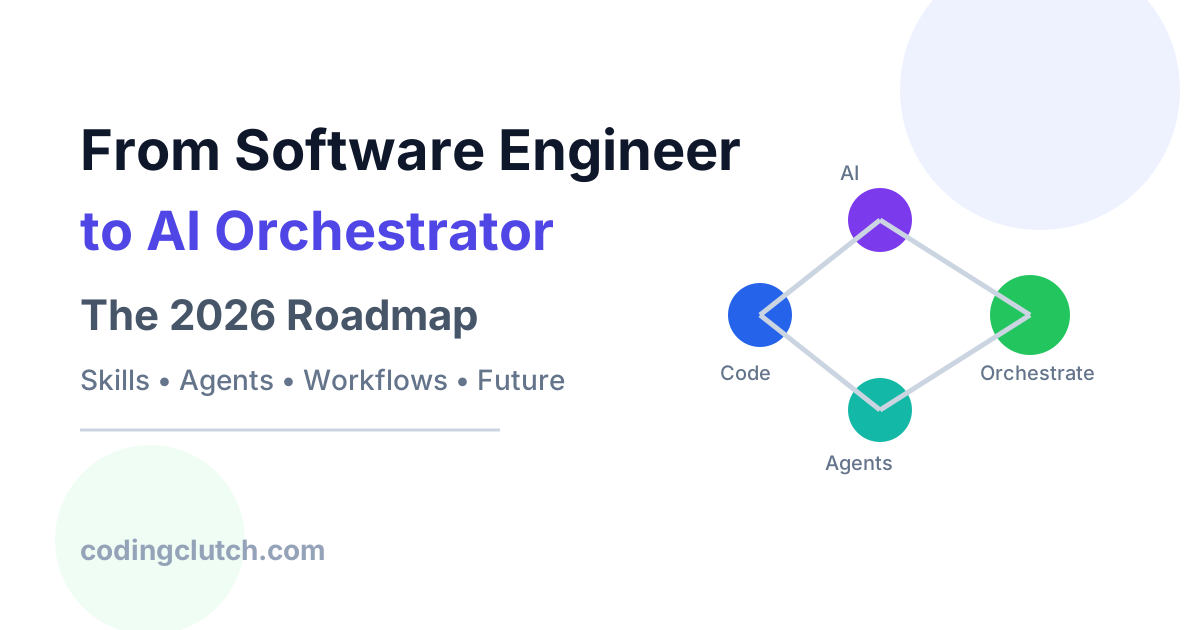
This new role is often referred to as an AI Orchestrator.
Real-World Examples
- GitHub Copilot / Cursor IDE: Developers now co-create code with AI.
- Autonomous agents: Systems that browse the web, write code, and execute tasks.
- Customer support bots: Multi-step reasoning systems integrating APIs, memory, and LLMs.
- Data pipelines: AI-driven transformations replacing static ETL.
The key shift:
You are no longer just building systems — you are orchestrating intelligence.
What is an AI Orchestrator?
An AI Orchestrator is a developer who designs, coordinates, and manages systems composed of:
- Large Language Models (LLMs)
- Tools (APIs, databases, code execution)
- Memory systems (vector DBs)
- Agents (autonomous decision-making units)
- Workflow engines
Analogy
Think of traditional software engineering as writing a script for actors.
AI orchestration is:
Directing a team of intelligent actors who can improvise—but need structure.
The Evolution Path: Engineer → AI Orchestrator
Stage 1: Traditional Software Engineer
- Focus: APIs, backend logic, databases
- Tools: Java, Python, Node.js, SQL
- Responsibilities:
- CRUD operations
- REST APIs
- System design
Stage 2: AI-Enhanced Engineer (2023–2025)
- Uses AI tools:
- Code generation
- Debugging
- Documentation
- Integrates:
- OpenAI APIs
- Hugging Face models
Stage 3: AI Orchestrator (2026+)
- Designs:
- Multi-agent systems
- AI workflows
- Tool-using agents
- Focus:
- Prompt engineering → System design for AI
- Deterministic → Probabilistic systems

Core Concepts You Must Master
1. LLM Fundamentals
What is an LLM?
A Large Language Model predicts the next token based on context.
Key Concepts:
- Tokens
- Context window
- Temperature (randomness)
- Prompt structure
Key Concepts Every AI Orchestrator Must Understand
1. Tokens
Tokens are the small units of text that AI models process. A token can be a word, part of a word, punctuation mark, or symbol.
Example:
"AI is transforming software."
may be broken into tokens like:
["AI", "is", "transforming", "software", "."]
Why it matters:
- AI models charge based on tokens.
- More tokens = higher cost and latency.
- Context limits are measured in tokens.
2. Context Window
The context window is the amount of information an AI model can remember and process in a single request.
Analogy: Think of it as the AI’s short-term memory.
Example: If a model has a 128K-token context window, it can analyze large documents, conversations, or codebases without forgetting earlier information.
Why it matters:
- Larger context windows improve reasoning over long documents.
- Exceeding the limit causes older information to be dropped.
3. Temperature (Randomness)
Temperature controls how creative or predictable the AI’s responses are.
- Low Temperature (0.0–0.3):
- More deterministic
- Better for coding, debugging, and factual tasks
- High Temperature (0.7–1.0+):
- More creative
- Better for brainstorming, content writing, and ideation
Example: A temperature of 0.1 may always generate the same solution, while 0.9 can produce different answers for the same question.
4. Prompt Structure
Prompt structure refers to how instructions are organized for the AI.
A well-structured prompt typically contains:
Role → Task → Context → Output Format
Example:
Role: You are a senior software engineer.

Task: Explain microservices.

Context: Audience is beginner developers.

Output Format: Use simple language and bullet points.
Why it matters:
- Better prompts produce better outputs.
- Clear structure reduces hallucinations and improves consistency.
In modern AI systems, prompt design is becoming as important as traditional software design because prompts directly influence model behavior.
Example (Python)
from openai import OpenAI

client = OpenAI()

response = client.chat.completions.create(
    model="gpt-4.1",
    messages=[
        {"role": "system", "content": "You are a helpful assistant"},
        {"role": "user", "content": "Explain distributed systems"}
    ],
    temperature=0.7
)

print(response.choices[0].message.content)
2. Prompt Engineering → Prompt Programming
In 2026, prompting is no longer trial-and-error—it is structured programming.
Types of Prompts:
- Zero-shot
- Few-shot
- Chain-of-thought
- Tool-augmented prompts
Types of Prompts Every AI Engineer Should Know
1. Zero-Shot Prompting
In zero-shot prompting, the AI is given a task without any examples. It relies entirely on its pre-trained knowledge to generate the answer.
Example:
Explain the concept of microservices architecture.
Use Cases:
- General explanations
- Summarization
- Quick content generation
Advantages:
- Fast and simple
- No examples required
Limitations:
- May produce inconsistent outputs for complex tasks
2. Few-Shot Prompting
In few-shot prompting, you provide the model with a few examples before asking it to perform the task.
Example:
Input: Java
Output: Programming Language

Input: MySQL
Output: Database

Input: Docker
Output:
The model learns the pattern and responds:
Containerization Platform
Use Cases:
- Classification
- Data extraction
- Formatting tasks
Advantages:
- Higher accuracy
- More consistent outputs
Limitations:
- Consumes additional context window
3. Chain-of-Thought (CoT) Prompting
Chain-of-thought prompting encourages the model to solve a problem step by step instead of jumping directly to the answer.
Example:
A store sells a laptop for $1000.
It offers a 10% discount.
Then a 5% tax is added.

Think step by step and calculate the final price.
The model may reason:
Step 1: Discount = $100
Step 2: New Price = $900
Step 3: Tax = $45
Step 4: Final Price = $945
Use Cases:
- Mathematical reasoning
- Complex problem-solving
- Multi-step decision making
Advantages:
- Improves reasoning quality
- Reduces logical errors
Limitation:
- Increases token usage and response time
4. Tool-Augmented Prompting
Tool-augmented prompting allows the AI to use external tools such as APIs, databases, calculators, search engines, or code interpreters.
Instead of relying only on its training data, the model can retrieve real-time information or perform actions.
Example:
User: What is the current weather in London?

AI:
1. Call Weather API
2. Retrieve temperature
3. Generate response
Architecture Flow:
User Query
     ↓
LLM
     ↓
Tool Selection
     ↓
API / Database / Search
     ↓
Retrieved Result
     ↓
LLM Response
Real-World Examples:
- ChatGPT using web search
- GitHub Copilot accessing code context
- AI agents calling APIs
- RAG systems querying vector databases
Advantages:
- Access to real-time data
- Higher factual accuracy
- Ability to perform actions
Limitation:
- Additional latency
- More complex system design
Quick Comparison
| Prompt Type | Examples Given? | Best For |
|---|---|---|
| Zero-Shot | No | Simple tasks, explanations |
| Few-Shot | Yes (few) | Classification, structured outputs |
| Chain-of-Thought | Optional | Reasoning and problem solving |
| Tool-Augmented | Uses external tools | Real-time data and AI agents |
In 2026, most production-grade AI applications don’t rely on a single prompt type. They combine Few-Shot + Chain-of-Thought + Tool-Augmented prompting to build reliable AI systems, agents, and orchestration workflows.
Advanced Pattern: Structured Output
import json

prompt = """
Extract user data in JSON format:
Name: John
Age: 25
"""

# Expected output:
# {"name": "John", "age": 25}
3. Retrieval-Augmented Generation (RAG)
Problem:
LLMs don’t know your private data.
Solution:
Combine:
- Vector search
- LLM generation
Architecture (Text Diagram)
User Query
   ↓
Embed Query
   ↓
Vector DB Search
   ↓
Retrieve Documents
   ↓
LLM Prompt + Context
   ↓
Final Answer
Code Example (Python + FAISS)
from sentence_transformers import SentenceTransformer
import faiss
import numpy as np

model = SentenceTransformer('all-MiniLM-L6-v2')

docs = ["AI is transforming software", "RAG improves accuracy"]
embeddings = model.encode(docs)

index = faiss.IndexFlatL2(384)
index.add(np.array(embeddings))

query = "What improves AI accuracy?"
q_embed = model.encode([query])

D, I = index.search(np.array(q_embed), k=1)

print(docs[I[0][0]])
4. Agents and Tool Use
Agents are systems that:
- Think
- Decide
- Act
Agent Loop (Core Algorithm)
while not done:
    observe()
    think()
    choose_action()
    execute()
Example: Tool-Using Agent
def agent(query):
    if "weather" in query:
        return get_weather()
    elif "code" in query:
        return generate_code()
5. Workflow Orchestration (LangGraph, Temporal)
Instead of linear pipelines, modern systems use graphs.
DAG-Based Flow
Start → LLM → Tool → LLM → Output
Example Concept:
- Node = Task (LLM / API)
- Edge = Dependency
Technical Deep Dive: AI System Architecture
Full AI Orchestration Architecture
User Input
   ↓
Gateway API
   ↓
Orchestrator Layer
   ├── Prompt Builder
   ├── Memory Manager
   ├── Tool Router
   ├── Agent Controller
   ↓
LLM
   ↓
Tools / APIs
   ↓
Response
Key Components Explained
1. Orchestrator Layer
The brain of the system:
- Decides which model to use
- Calls tools
- Manages state
2. Memory Systems
- Short-term: conversation buffer
- Long-term: vector DB
3. Tool Routing
- Based on intent classification
- Uses embeddings or rules
Complexity Considerations
| Component | Time Complexity |
|---|---|
| Vector Search | O(log N) (approx) |
| LLM Inference | O(n²) (transformers) |
| Agent Loop | O(k * LLM calls) |
Trade-offs
| Approach | Pros | Cons |
|---|---|---|
| RAG | Accurate | Latency |
| Fine-tuning | Fast | Expensive |
| Agents | Flexible | Unpredictable |
Code Example: Building a Mini AI Orchestrator (Python)
class AIOrchestrator:
    def __init__(self, llm, tools):
        self.llm = llm
        self.tools = tools

    def route(self, query):
        if "calculate" in query:
            return "calculator"
        return "llm"

    def run(self, query):
        route = self.route(query)

        if route == "calculator":
            return self.tools["calculator"](query)
        else:
            return self.llm(query)

# Tools
def calculator(query):
    return eval(query.split("calculate")[1])

# Mock LLM
def llm(query):
    return "LLM Response: " + query

# Usage
orch = AIOrchestrator(llm, {"calculator": calculator})

print(orch.run("calculate 2 + 2"))
print(orch.run("Explain AI"))
AI & Modern Relevance (2025–2026 Stack)
Popular Tools
- LangChain / LangGraph
- LlamaIndex
- OpenAI / Anthropic APIs
- Vector DBs:
- Pinecone
- Weaviate
- Chroma
Cloud-Native Integration
- Kubernetes + AI workloads
- Serverless inference
- GPU orchestration
Interview Perspective
Common Questions
- What is RAG and why is it important?
- How do agents work internally?
- Difference between fine-tuning and prompt engineering?
- How would you design a chatbot with memory?
What Interviewers Expect
- System design + AI integration
- Practical knowledge (not theory only)
- Trade-off awareness
Common Mistakes
- Overusing LLMs (when simple logic works)
- Ignoring latency
- No fallback mechanisms
Real-World Use Cases
1. AI Customer Support
- Multi-step reasoning
- Context-aware responses
2. Developer Assistants
- Code generation
- Debugging
3. Autonomous Data Pipelines
- AI replaces static ETL logic
Best Practices
1. Design for Failure
- LLMs are probabilistic
- Always add:
- Retries
- Fallbacks
2. Optimize Latency
- Cache embeddings
- Reduce context size
3. Security Considerations
- Prompt injection protection
- Data privacy in RAG
Comparison: Traditional vs AI-Orchestrated Systems
| Feature | Traditional | AI-Orchestrated |
|---|---|---|
| Logic | Deterministic | Probabilistic |
| Flexibility | Low | High |
| Maintenance | Manual | Adaptive |
| Debugging | Easier | Harder |
Future Scope (Next 5 Years)
Trends
- Autonomous agents replacing workflows
- AI-native system design interviews
- Rise of “Prompt APIs”
New Roles
- AI Systems Engineer
- Agent Architect
- LLM Infrastructure Engineer
The transition from software engineer to AI orchestrator is not optional—it is inevitable.
Key Takeaways
- Learn LLMs, RAG, and agents
- Shift from coding → system orchestration
- Focus on architecture, not just implementation
When Should You Start?
Immediately.
Because in 2026:
The best engineers are not the ones who write the most code—but the ones who design the smartest systems.